Table of contents
- Why look for a SurveyMonkey alternative?
- How to choose a SurveyMonkey alternative: by use case
- SurveyMonkey alternatives and competitors at a glance
- Best SurveyMonkey alternative for all-in-one CX & EX with AI
- Best SurveyMonkey alternative for market and academic research
- Best free SurveyMonkey alternative
- Best SurveyMonkey alternative for conversational forms
- Best SurveyMonkey alternative for on-site and in-product feedback
- Migrating from GetFeedback (closing December 2026)
- SurveyMonkey alternatives: a quick decision matrix
- What to look for when switching from SurveyMonkey
- Why Responsly is the smart switch
- Conclusion

SurveyMonkey alternatives are survey and feedback platforms that compete on UX, question logic, distribution, and analytics—often with better pricing, deeper AI analysis, or stronger team workflows. This guide is for teams evaluating tools for customer feedback, market research, or employee surveys who want more than a generic “top 10” list. Instead of ranking tools 1-to-10, we organize the best SurveyMonkey alternatives and competitors by use case—all-in-one CX/EX with AI, market and academic research, free options, conversational forms, and on-site feedback—so you can shortlist 2–3 finalists fast. If you are also weighing enterprise suites, see our guides to Qualtrics alternatives and Medallia alternatives.
Why look for a SurveyMonkey alternative?
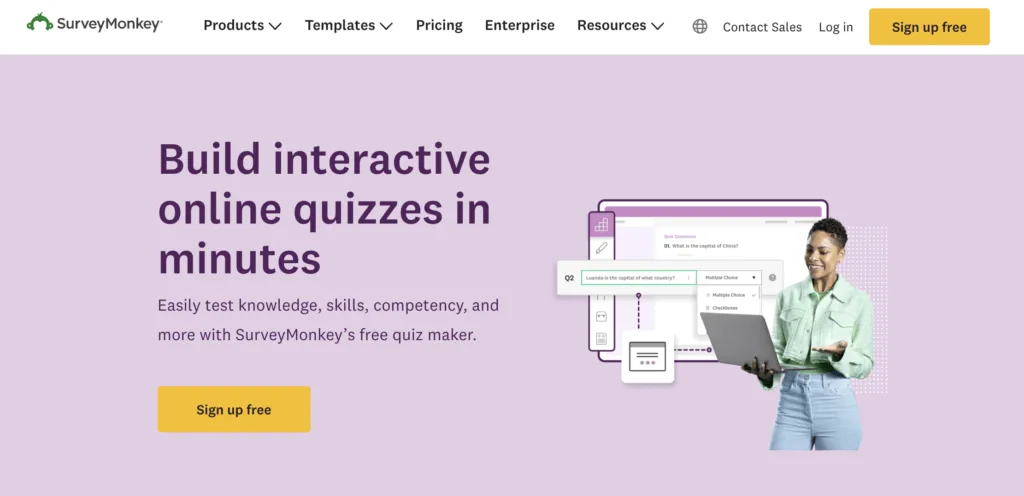
Most teams leave SurveyMonkey for three reasons: rising per-response and per-seat costs, logic and reporting features locked behind higher tiers, and limited customization and AI analysis compared to newer platforms. SurveyMonkey is a reliable, familiar tool—but as your program grows, the paywalls and shallow open-text analysis become real constraints.
Common triggers for switching:
- Cost at scale. Per-response limits and premium features push you into higher plans quickly.
- Shallow open-text analysis. Understanding the “why” behind scores often means manual tagging.
- Logic and branching limits. Advanced skip logic and piping sit on pricier tiers.
- Integration and channel gaps. Reaching customers on SMS, WhatsApp, or in-app isn’t native.
There’s also a migration trigger worth noting: SurveyMonkey is sunsetting GetFeedback Direct on December 31, 2026, so GetFeedback customers need a replacement—see our Responsly vs. GetFeedback comparison. And if you want a direct head-to-head, read Responsly vs. SurveyMonkey.
How to choose a SurveyMonkey alternative: by use case
SurveyMonkey is a generalist, so “the best alternative” depends on the job you’re hiring it for. Here’s the quick map before we go deeper.
| Use case | Best pick | Other strong options |
|---|---|---|
| All-in-one CX & EX with AI insights | Responsly | Qualtrics, Sogolytics |
| Market & academic research (skip logic, panels) | QuestionPro | Alchemer |
| Free survey tool | Responsly | Zoho Survey, Typeform |
| Conversational, high-completion forms | Typeform | Responsly |
| On-site & in-product feedback | Qualaroo | UserReport |
SurveyMonkey alternatives and competitors at a glance
Use this table to shortlist the top SurveyMonkey competitors quickly:
| Tool | Best for | Key features | Pricing / Free plan |
|---|---|---|---|
| Responsly | All-in-one CX/EX + AI insights | AI analysis (Athena), omnichannel (email/SMS/WhatsApp/web), NPS/CSAT/CES, 360 | Free plan available |
| Qualtrics | Enterprise XM programs | Deep analytics, governance, program management | Enterprise (custom) |
| QuestionPro | Research & panels | Conjoint, MaxDiff, advanced logic, panels | Free tier + paid |
| Alchemer | Custom research & logic | Advanced skip logic, scripting, customization | Paid |
| Typeform | Conversational forms | One-question-at-a-time, logic, embeds | Free tier + paid |
| Qualaroo | On-site contextual feedback | Targeted website surveys, AI analysis | Paid |
| UserReport | Lightweight website feedback | Widgets, simple surveys and analytics | Paid |
| Zoho Survey | Zoho ecosystem users | CRM sync, multi-language, templates | Free tier + paid |
| Sogolytics | CX/EX with secure reporting | Surveys, dashboards, data governance | Free tier + paid |
| GetFeedback (closing Dec 2026) | Salesforce-tied CX feedback | Feedback programs, reporting, integrations | Paid (sunsetting) |
Best SurveyMonkey alternative for all-in-one CX & EX with AI
If you want a single platform for customer and employee experience—survey creation, multichannel distribution, and AI analysis—Responsly is the strongest all-around SurveyMonkey alternative, with Qualtrics and Sogolytics as enterprise-leaning options.
| Tool | Best for | Key strengths | Pricing |
|---|---|---|---|
| Responsly | Mid-market & enterprise CX/EX | Omnichannel surveys, AI analytics, NPS/CSAT/CES, 360 | Free plan; affordable paid tiers |
| Qualtrics | Research-heavy enterprises | Advanced statistics, broad XM suite | Enterprise (custom, high) |
| Sogolytics | Secure CX/EX reporting | HIPAA compliance, dashboards, governance | Free tier; paid |
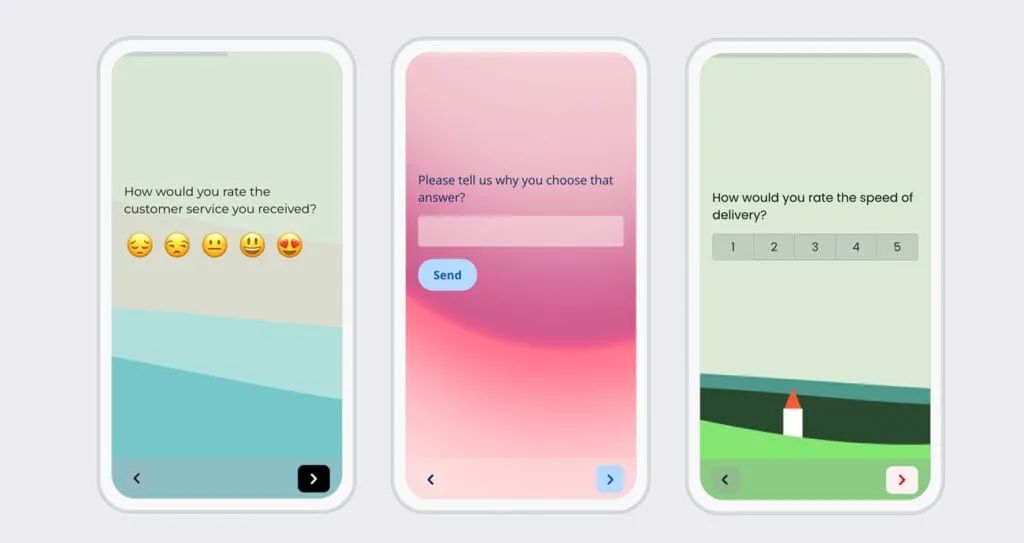
Responsly is an AI-powered customer feedback and survey platform that covers what most teams use SurveyMonkey for—Voice of Customer, CX, EX, and product feedback—plus the analysis layer that SurveyMonkey lacks. Build surveys in minutes with the AI survey generator, distribute through omnichannel channels (email, SMS, WhatsApp, and website widgets), and track NPS, CSAT, and CES out of the box.
The differentiator is built-in AI: Athena, Responsly’s AI agent, reads open-ended responses, clusters themes, measures sentiment, and predicts churn—so you understand the “why” without manual tagging. Responsly is trusted by teams at Red Bull, DB Schenker, and Schneider Electric—DB Schenker lowered its survey drop rate by 40% after moving to Responsly. For employee programs, it covers employee experience workflows, 360-degree feedback, and pulse surveys in the same place. See the direct Responsly vs SurveyMonkey comparison.
Key strengths:
- AI theme and sentiment analysis on open text via Athena.
- Omnichannel reach: email, SMS, WhatsApp, website, in-app, and QR codes.
- NPS/CSAT/CES, forms, and quizzes in one workspace, with ready-made templates.
- A genuinely usable free plan, plus automation for recurring surveys.
Qualtrics remains the enterprise research benchmark—powerful, but expensive and complex (see our Qualtrics alternatives guide). Sogolytics (formerly SoGoSurvey) is a solid secure option for regulated CX/EX reporting with HIPAA compliance and detailed dashboards.
Best SurveyMonkey alternative for market and academic research
For research depth—advanced skip logic, conjoint, MaxDiff, and respondent panels—QuestionPro and Alchemer are the closest substitutes. They’re also the natural replacement if you relied on SurveyMonkey Audience for panels.
| Tool | Best for | Key strengths | Pricing |
|---|---|---|---|
| QuestionPro | Research & panels | Conjoint, MaxDiff, advanced logic, global panel, free academic license | Free tier; paid |
| Alchemer | Custom research design | Advanced skip logic, scripting, deep customization | Paid |
QuestionPro supports advanced question types, skip logic, multilingual surveys, and insight communities, plus access to a global respondent panel—making it the best alternative to SurveyMonkey Audience for sourcing respondents. Its free academic license is a bonus for students and researchers.
Alchemer (formerly SurveyGizmo) is built for teams that need granular control over survey logic and design. If you’ve searched “SurveyGizmo vs SurveyMonkey,” Alchemer is that platform—stronger on advanced skip logic and customization, aimed at researchers who’ve outgrown SurveyMonkey’s branching limits.
Best free SurveyMonkey alternative
For a capable free survey tool, Responsly’s free plan stands out because it includes AI features and multi-channel basics—not just a capped question count. Zoho Survey and Typeform also offer free tiers for simpler needs.
| Tool | Best for | Key strengths | Pricing |
|---|---|---|---|
| Responsly | Free plan with AI | Free tier with AI features, NPS/CSAT, omnichannel basics | Free; affordable paid |
| Zoho Survey | Free, Zoho users | Free basic plan, CRM sync, multi-language | Free tier; paid |
| Typeform | Free conversational forms | Free tier, beautiful one-question flows | Free tier; paid |
If you’re in the Zoho ecosystem, Zoho Survey offers a free basic plan with native sync to Zoho CRM and Desk, multi-language support, and hundreds of templates. For lightweight, design-led forms, Typeform’s free tier is a good starting point—just watch the response limits.
Best SurveyMonkey alternative for conversational forms
When completion rate and design matter most, Typeform’s one-question-at-a-time format keeps respondents engaged and typically lifts completion—ideal for lead capture, marketing, and mobile audiences.
Typeform replaces long question grids with a conversational flow, using conditional logic to ask the right follow-ups. Its minimalist, mobile-friendly design makes professional forms easy to build without a dedicated team. The trade-offs: reporting is lighter than analytical tools, and costs rise with response volume. If you need that conversational feel plus deeper analysis, Responsly also supports chat-style surveys with AI analytics built in.
Best SurveyMonkey alternative for on-site and in-product feedback
If your goal is contextual feedback while users are on your site or in your product, Qualaroo and UserReport specialize in targeted, non-disruptive prompts rather than standalone survey links.
- Qualaroo triggers targeted website surveys at the right moment and applies AI analysis to responses, which is great for in-product and on-site prompts tied to behavior.
- UserReport runs as a widget inside your website for lightweight surveys and feedback, suited to teams that want simple, always-on website feedback.
For survey-based website surveys with full analytics and omnichannel follow-up, Responsly covers this use case too—so you can keep on-site feedback in the same platform as the rest of your program.
Migrating from GetFeedback (closing December 2026)
GetFeedback Direct, owned by SurveyMonkey, will be shut down on December 31, 2026. It was popular for customer feedback with a strong Salesforce integration, so affected teams should plan a migration now rather than at the deadline. Our Responsly vs. GetFeedback guide covers feature parity, Salesforce-style workflows, and pricing for a smooth switch.
SurveyMonkey alternatives: a quick decision matrix
Don’t overbuy—match the tool to your actual priority.
| Your priority | Best pick | Why |
|---|---|---|
| AI insight on open text + omnichannel CX/EX | Responsly | AI theme/sentiment analysis with email, SMS, WhatsApp, and web in one place |
| Enterprise research & governance | Qualtrics | Advanced statistics and program management |
| Research panels & skip logic | QuestionPro / Alchemer | Conjoint, MaxDiff, panels, advanced logic |
| Free survey tool | Responsly | Free plan that includes AI features |
| Beautiful, conversational forms | Typeform | One-question-at-a-time design that lifts completion |
| On-site / in-product feedback | Qualaroo / UserReport | Targeted website and widget prompts |
| You already live in Zoho | Zoho Survey | Native Zoho CRM/Desk sync at low cost |
| Secure, compliance-heavy reporting | Sogolytics | HIPAA compliance and strong governance |
What to look for when switching from SurveyMonkey
- Total cost of ownership. Compare per-response and per-seat costs, not just the headline price.
- AI-powered analysis. Prioritize tools that theme and summarize open-text feedback automatically.
- Logic and customization. Confirm skip logic, piping, and branding aren’t locked behind premium tiers.
- Omnichannel coverage. Make sure it reaches customers on the channels you use—email, SMS, WhatsApp, web, and in-app.
- Integrations and portability. Check CRM, support, and BI integrations, plus easy data export.
- Security & compliance. Verify GDPR, SOC 2, and any industry rules—see security and compliance.
Why Responsly is the smart switch
If SurveyMonkey’s pricing and shallow analytics pushed you here, Responsly is the most direct, low-risk alternative—and it’s strong across most of the use cases above. Here’s how teams use it:
- CX teams measure and act on NPS, CSAT, and CES across every channel—see CX teams.
- Product teams run in-app and feature feedback to guide the roadmap—see product teams.
- HR teams track employee experience and engagement in the same platform—see HR teams.
You get omnichannel surveys, AI analysis through Athena, NPS/CSAT/CES, forms, and quizzes—plus templates and automations to launch in minutes. It scales from a free plan to enterprise needs, so you’re not locked into per-response pricing to measure experience. Explore the feedback collection hub or work out your score with the NPS calculator.
Conclusion
SurveyMonkey is a dependable generalist, but as your feedback program matures, its pricing, logic limits, and shallow open-text analysis are common reasons to switch. The right alternative depends on the job: QuestionPro or Alchemer for research and panels, Typeform for conversational forms, Qualaroo or UserReport for on-site feedback, Qualtrics for enterprise XM, and Responsly as the all-in-one, AI-first platform that covers CX management, omnichannel collection, and analysis in a single tool.
Ready to make the switch? Create a free Responsly account and launch your first omnichannel survey today, or compare the two head-to-head in our Responsly vs SurveyMonkey breakdown.
FAQ
What are the best SurveyMonkey alternatives?
Why do teams switch from SurveyMonkey to another tool?
What is the best free SurveyMonkey alternative?
What is the best alternative to SurveyMonkey Audience for research panels?
Which SurveyMonkey competitor is best for enterprise research?
Which SurveyMonkey alternative is best for conversational forms?
How should you evaluate SurveyMonkey alternatives?
Tagged in
Last updated