All posts
Karolina Konopka
Customer Success Manager

 3 min read
Empower employees while caring for employee well-being. Prevent employee burnout and depression.
ex Platform

A 360 degree review process is a repeatable workflow for collecting multi-rater feedback and turning it into a development plan. This guide is for HR teams and people leaders who want to run 360 reviews efficiently and consistently (without spreadsheets, messy follow-ups, or unclear reporting). You’ll learn the exact step-by-step process, how to structure forms and rater roles, and how to automate distribution and reporting using Responsly’s 360 feedback tools.
The 360 Review Process Step-by-Step
Step 1: Create a 360-degree review form
Begin by logging into your Responsly account. Navigate to the form builder and select the option to create a new form. Choose the 360-degree review template to start with a pre-designed form that includes all necessary sections for comprehensive feedback.
Step 2: Customize the base form
Customize the base form to fit your organization’s specific needs. Add, remove, or modify questions to ensure they align with your review objectives. Keep questions behavior-based and tied to competencies (communication, teamwork, ownership). Once the base form is complete, save it as your master template.
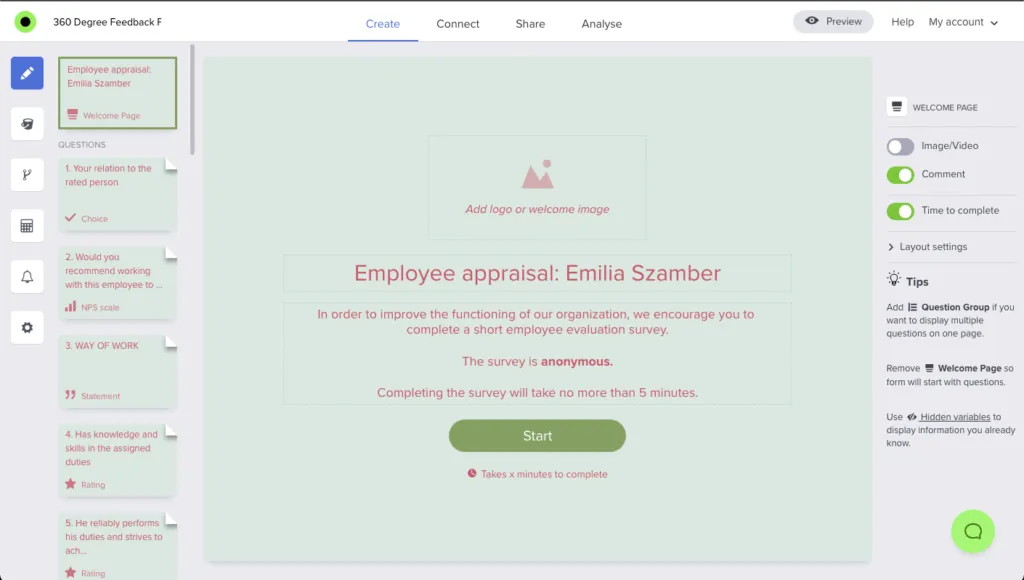
Step 3: Duplicate the form for each employee
Next, duplicate the base form for each employee undergoing the review. In Responsly, select duplicate and rename each form according to the employee’s name. This ensures each employee has a personalized review form ready for distribution.
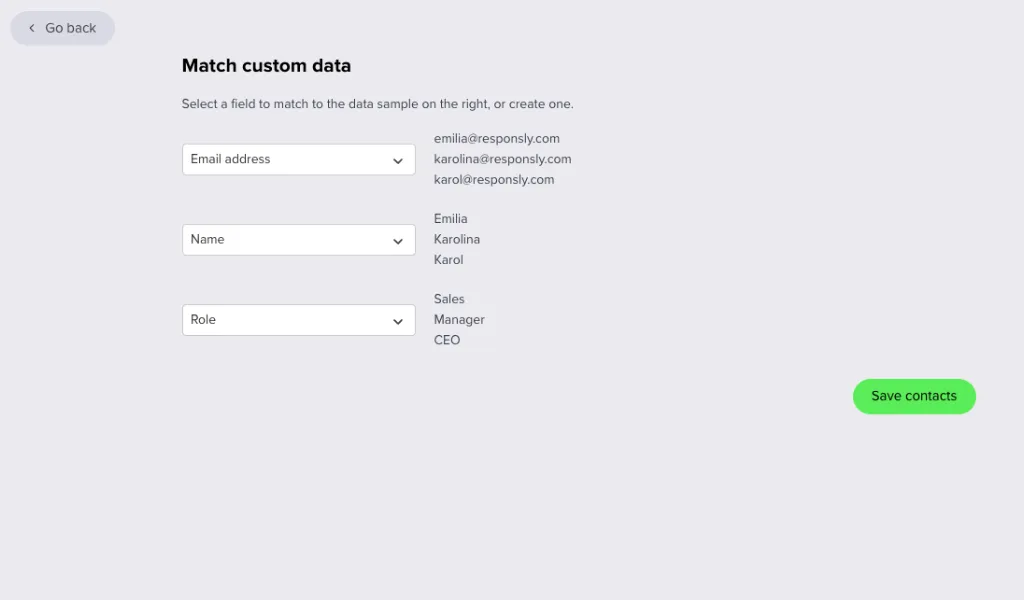
Step 4: Add email addresses and rater roles
In the email distribution module, add the email addresses of all participants who will provide feedback. Categorize participants by role (for example: manager, peer, direct report). Capturing roles upfront is crucial because it allows you to filter and compare results by rater group later.
Step 5: Send out the review forms
Once all email addresses and roles are added, use Responsly’s email distribution module to send out the review forms. Each participant will receive a personalized email with a link to the relevant employee’s review form. This automated process saves significant time compared to manual distribution.
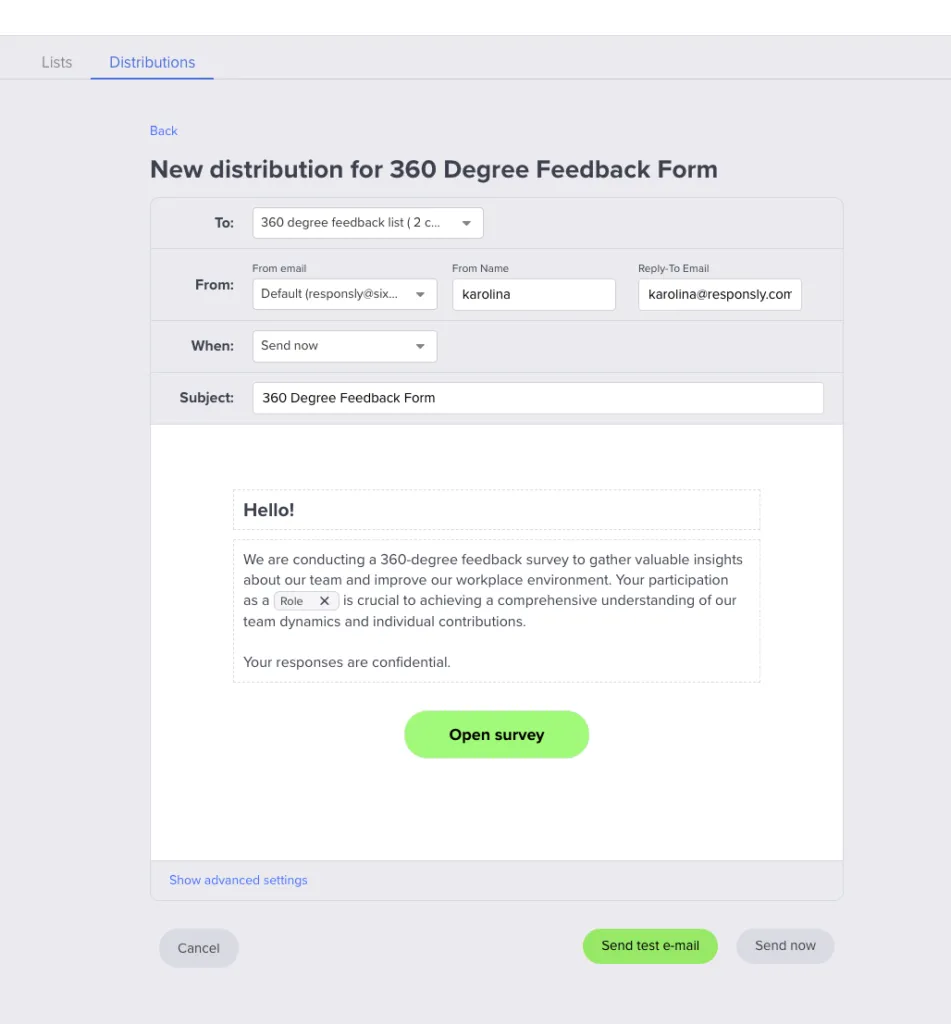
Add a hidden variable: Role in the form to filter the results later.
Step 6: Collect and analyze responses
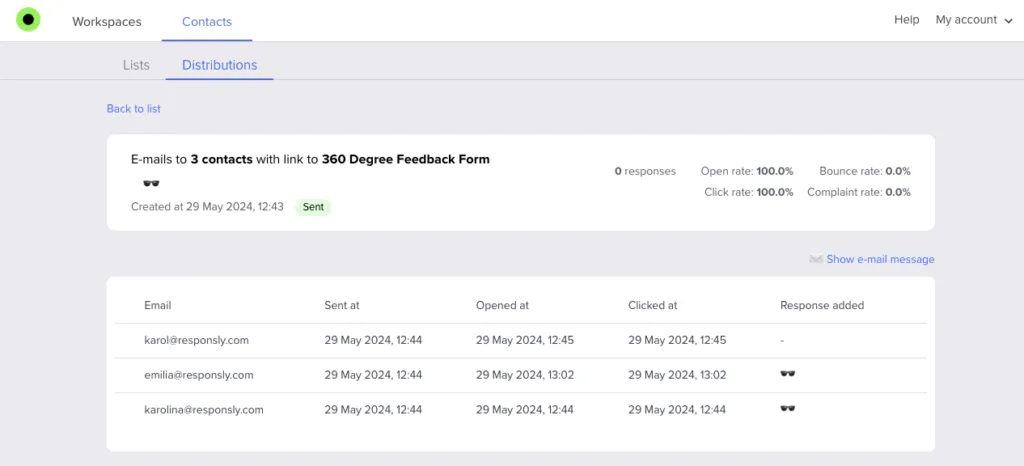
As participants complete the reviews, their responses are automatically collected within Responsly. You can monitor the progress and send reminders if needed, ensuring all feedback is gathered promptly.
Step 7: Generate reports and filter by role
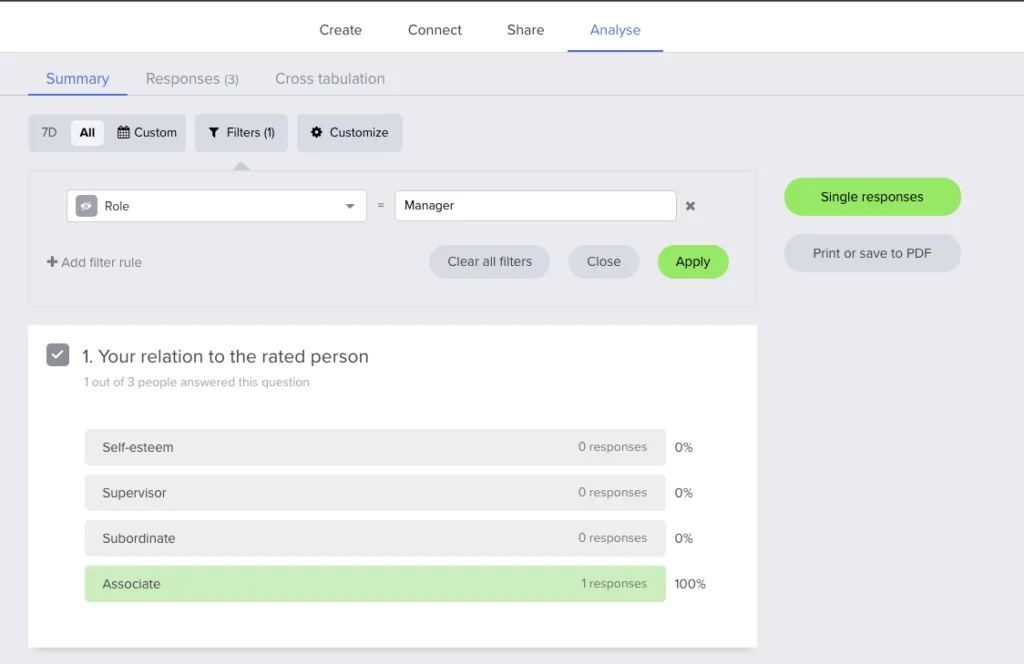
After all responses are collected, generate reports for each employee. Responsly’s analytics allow you to filter feedback by role using hidden variables, so you can separate “peer feedback” from “manager feedback” and spot perception gaps. This is often where the most useful coaching insights emerge.
Automating the 360 degree review process with Responsly saves time and improves consistency. By using ready-made templates plus automated email distribution, you can run a repeatable review cycle that produces clear, role-based insights for employee development.
Read more about the 360-degree feedback system, its examples, and questions!
Try 360-degree feedback software
Create an account to run employee surveys and 360-degree feedback assessments with Responsly.