Table of contents
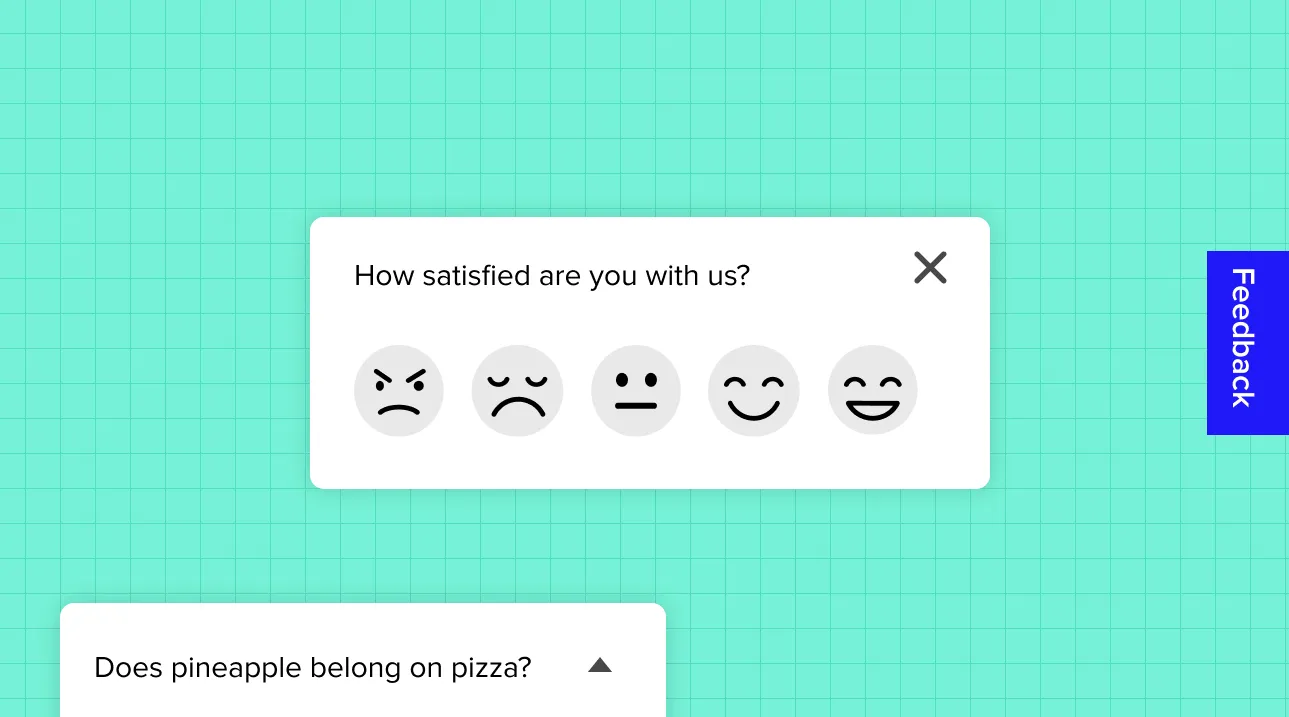
In the fast-paced digital landscape, understanding user behavior and gathering feedback are essential to improving customer experiences and driving business growth. Popup surveys have become a popular method for collecting insights in real-time, offering convenience for both businesses and their users. Today, having the right popup survey tools in your marketing arsenal is crucial—but the best pick depends less on feature count and more on whether the tool respects the visitor’s attention.
How to Choose the Best Popup Survey Tools?
Selecting the right popup survey software for your business involves considering several key aspects to ensure you maximize engagement and extract useful insights from your audience. Here are the main factors to evaluate when making your choice:
Ease of Use:
The best popup survey tools should be intuitive and user-friendly, even for those with minimal technical knowledge. Look for platforms that offer drag-and-drop builders, pre-built templates, and step-by-step guides to help you create surveys quickly. A simple setup will allow you to get up and running fast without relying on developers. Responsly, for instance, provides an easy interface, perfect for beginners. You can see how each format behaves in our popup surveys examples guide.Customization Options:
Personalization is essential when it comes to popup surveys. Your tool should allow you to fully customize the look and feel of the surveys so they align with your branding. This includes adjusting colors, fonts, logos, and the overall design. The ability to craft a seamless brand experience keeps your website looking professional while ensuring the survey doesn’t appear intrusive. Platforms like Typeform and Responsly offer high levels of design customization, letting you create polished, on-brand surveys.Targeting and Triggers:
Effective targeting ensures your surveys appear to the right people at the right time. Look for popup tools that allow you to trigger surveys based on user behavior—such as time on page, scroll depth, or exit intent—as well as demographic factors like location or device type. This precision helps prevent survey fatigue and makes you more likely to capture meaningful feedback. Hotjar and Responsly excel in this area with their advanced behavior-based targeting options, ensuring your popups are timed perfectly.Integration Capabilities:
Integrations are crucial for streamlining your data collection and analysis. Ensure the software you choose can connect with your existing platforms, such as CRM systems, email marketing tools, and analytics platforms. This will allow you to automate responses, create reports, and take immediate action on feedback. Look for tools that integrate with major platforms like Google Analytics, Slack, or Salesforce. Responsly and SurveyMonkey offer seamless integration with various third-party tools to enhance workflow automation.Pricing and Scalability:
Your choice should also depend on your budget and whether the software can grow with your business. Some tools offer flexible pricing models based on your needs, including free plans for small businesses and more advanced options for enterprises. Consider whether the platform offers a cost-effective solution for your current requirements, while also being scalable as your business expands. Responsly, for instance, provides a wide range of pricing options, from free trials to enterprise-level packages.Respectful timing and UX:
A popup tool is only as good as how unobtrusively it behaves. Research by the Nielsen Norman Group shows that most overlays appear at the wrong time and interrupt users during critical tasks—hurting both experience and trust. Choose a tool that lets you trigger surveys after engagement (scroll depth, time on page, or exit intent), keep them small and easy to dismiss, and follow the reciprocity principle: give value before you ask for it.
Quick comparison: best popup survey tools
| Tool | Best for | Key features | Pricing | Why choose it |
|---|---|---|---|---|
| Responsly | All-round CX & conversion | AI sentiment analysis, omnichannel, A/B testing, targeting | Free plan available | Best balance of ease, design, and AI insight |
| Typeform | Conversational, on-brand surveys | One-question-at-a-time, embeds, integrations | Free basic / paid | Engaging design that lifts response rates |
| SurveyMonkey | General-purpose feedback | Question logic, analytics, integrations | Free basic / paid | Familiar, reliable, broad ecosystem |
| Qualaroo | Behavior-triggered targeting | Nudges® tech, advanced filtering, multilingual | Paid | Contextual, action-based feedback |
| Hotjar | UX + behavioral context | Heatmaps + popups in one tool | Free basic / paid | Pairs feedback with the “why” behind behavior |
Which popup survey tool should you choose?
There’s no single “best” popup survey tool—only the best one for what you optimize for. Match the pick to your single most important priority.
| Your priority | Best pick | Why |
|---|---|---|
| All-round CX + AI insight | Responsly | AI sentiment/theme analysis, omnichannel reach, and a usable free plan |
| Conversational, on-brand popups | Typeform | One-question-at-a-time design that lifts completion |
| Familiar, general-purpose surveys | SurveyMonkey | Broad ecosystem, question logic, and reporting |
| Behavior-triggered targeting | Qualaroo | Nudges® tech for contextual, action-based prompts |
| Feedback plus the “why” behind it | Hotjar | Pairs survey responses with heatmaps and behavior |
5 Best Popup Survey Tools for 2026
To help you make the best choice, we’ve curated a list of the 5 best popup survey tools—tools that offer ease of use, customization, and deep analytics to ensure you’re staying ahead in understanding your audience.
1. Responsly
First on the list is Responsly, a robust and user-friendly platform designed for businesses that want to gather customer insights seamlessly. Responsly offers beautifully designed, customizable popup surveys that integrate effortlessly into your website, allowing you to gain real-time feedback without disrupting user experience.
Try the popup, slide-in, and side-tab formats live below:

Key Features:
AI-powered feedback analysis (Sentiment Analysis)
Intuitive survey builder
A/B testing options for optimizing survey performance
Responsive design for desktop and mobile
Seamless integrations with CRM tools and email platforms
Advanced reporting and analytics
If you’re looking for a balance between simplicity and powerful functionality, Responsly is a perfect choice. It also offers various templates to get you started quickly.
Best For: Businesses of all sizes, especially those focusing on user experience and conversion rate optimization.
2. Typeform
Typeform is widely known for its visually appealing and engaging forms, but it’s also one of the best popup survey tools available today. Its conversational style of collecting data helps increase response rates by making surveys feel more personal.
Key Features:
Conversational, interactive design
Easy-to-use interface with drag-and-drop builder
Pre-designed templates to save time
Ability to embed surveys directly into your website
Integrates with tools like HubSpot, Slack, and Google Sheets
With Typeform, the survey-taking experience feels natural and non-intrusive, which is ideal for businesses that prioritize user interaction.
Best For: Companies looking for high-quality, conversational surveys to engage customers.
3. SurveyMonkey
SurveyMonkey is a household name in the survey industry and for good reason. It offers a comprehensive popup survey solution with plenty of customization options, along with powerful analytics that help businesses make data-driven decisions.
Key Features:
Extensive question types and survey logic
Customizable branding for consistency
Advanced data analysis tools
Integration with popular platforms like Salesforce and Mailchimp
Easy-to-install popup survey options for websites
SurveyMonkey is a reliable choice for businesses seeking a balance of simplicity and advanced reporting.
Best For: Organizations of all sizes, from startups to enterprises, looking for in-depth insights and powerful analytics.
4. Qualaroo
Qualaroo sets itself apart with its proprietary Nudges® technology, which offers intelligent, behavior-triggered popup surveys. This allows you to target specific users at the right time, making it ideal for gaining meaningful, contextual feedback.
Key Features:
Survey templates tailored for UX, product feedback, and more
Detailed user targeting with advanced filtering options
Multilingual support for global reach
Customizable, non-intrusive popup design
For businesses focused on getting targeted feedback based on user actions, Qualaroo is a great fit.
Best For: Enterprises and product teams seeking actionable, behavior-driven insights.
5. Hotjar
Hotjar is well-known for its heatmaps and user behavior tracking, but it also offers a versatile popup survey tool that integrates seamlessly into its ecosystem. Its feedback widgets allow businesses to capture quick responses without interrupting the browsing experience.
Key Features:
Simple yet powerful survey builder
Instant feedback collection through heatmaps and popups
Easy integration with websites
User behavior insights alongside feedback data
Visualize where and why users are dropping off
Hotjar is perfect for businesses looking to combine user feedback with behavioral data, making it easier to understand the “why” behind the “what.”
Best For: Teams focused on UX and user journey optimization, combining feedback with heatmap data.
Conclusion
Selecting the right popup survey tool is crucial for gathering real-time feedback and enhancing customer experience. The five tools we’ve highlighted offer a range of features tailored to different business needs, from ease of use and advanced customization to powerful analytics and behavior-triggered surveys.
To decide quickly: choose Responsly if you want the best all-round mix of design, omnichannel reach, and AI-powered analysis; Typeform for the most engaging, conversational popups; SurveyMonkey for familiar, general-purpose feedback; Qualaroo for behavior-triggered, contextual targeting; and Hotjar if you want to pair survey responses with heatmaps and behavioral data. Whatever you pick, follow popup UX best practices—trigger at the right moment, keep it easy to dismiss, and give value first—so feedback collection improves your experience instead of interrupting it.
Ready to start? Try Responsly for free and launch your first popup survey in minutes.
FAQ
What are popup survey tools?
When should I use popup surveys?
How do I choose the right popup survey tool?
What is the best free popup survey tool?
Do popup surveys hurt SEO or user experience?
What is the best popup survey tool for ecommerce?
Tagged in
Last updated