Table of contents
- Why churn surveys matter
- Churn survey vs. cancellation survey vs. exit survey
- When and where to trigger a churn survey
- Churn survey questions (with examples)
- Best practices for the cancellation experience
- Turning churn feedback into retention
- How Responsly helps you run churn surveys
- Conclusion and next steps

A churn survey is a short questionnaire shown when a customer cancels, downgrades, or lapses, designed to capture the real reason they’re leaving. This guide is for customer success, retention, and product teams who want to turn departures into a roadmap. You’ll learn the difference between cancellation and exit surveys, exactly when and where to trigger them, the precise questions to ask, and a framework to convert churn feedback into win-backs. Throughout, we connect the survey to your customer churn rate and broader customer retention strategies.
Why churn surveys matter
You can’t fix what you don’t understand. Analytics tell you how many customers left and when—but only a churn survey tells you why. That “why” is the most valuable retention data you can collect, because it points directly at the changes that will keep the next customer.
A well-run churn survey lets you:
- Separate avoidable from unavoidable churn. Price, missing features, and poor support are fixable. Budget cuts and business closures are not. Focus your energy on the former.
- Prioritize the product and CX roadmap. When the same reason appears repeatedly, you have a business case for change.
- Power win-back campaigns. Knowing why someone left tells you how to bring them back.
- Quantify the cost of each churn driver. Tie reasons to revenue lost to rank what to fix first.
The economics are stark. Classic research published by the Harvard Business Review notes that acquiring a new customer can cost five to twenty-five times more than retaining an existing one—so every reason you can fix compounds. To measure the baseline you’re improving, start with the formula:
Churn survey vs. cancellation survey vs. exit survey
These terms are used interchangeably, but the distinction helps you design the right trigger.
| Type | When it fires | Primary goal |
|---|---|---|
| Cancellation survey | The moment a customer clicks “cancel” or “downgrade” | Capture the immediate, top-of-mind reason. |
| Exit survey | As the customer offboards or their account closes | Gather reflective feedback on the whole relationship. |
| Churn survey (umbrella) | Any churn event, including silent/lapsed churn | Explain why customers stop—across all churn types. |
The biggest blind spot is silent churn: customers who simply stop using the product without formally cancelling. Reaching them requires a proactive email or in-app survey triggered by inactivity, not just a cancellation-flow form.
When and where to trigger a churn survey
- In the cancellation flow. A one-question, in-product survey at the click of “cancel” captures the highest-intent, most accurate reason. This is non-negotiable for any subscription business.
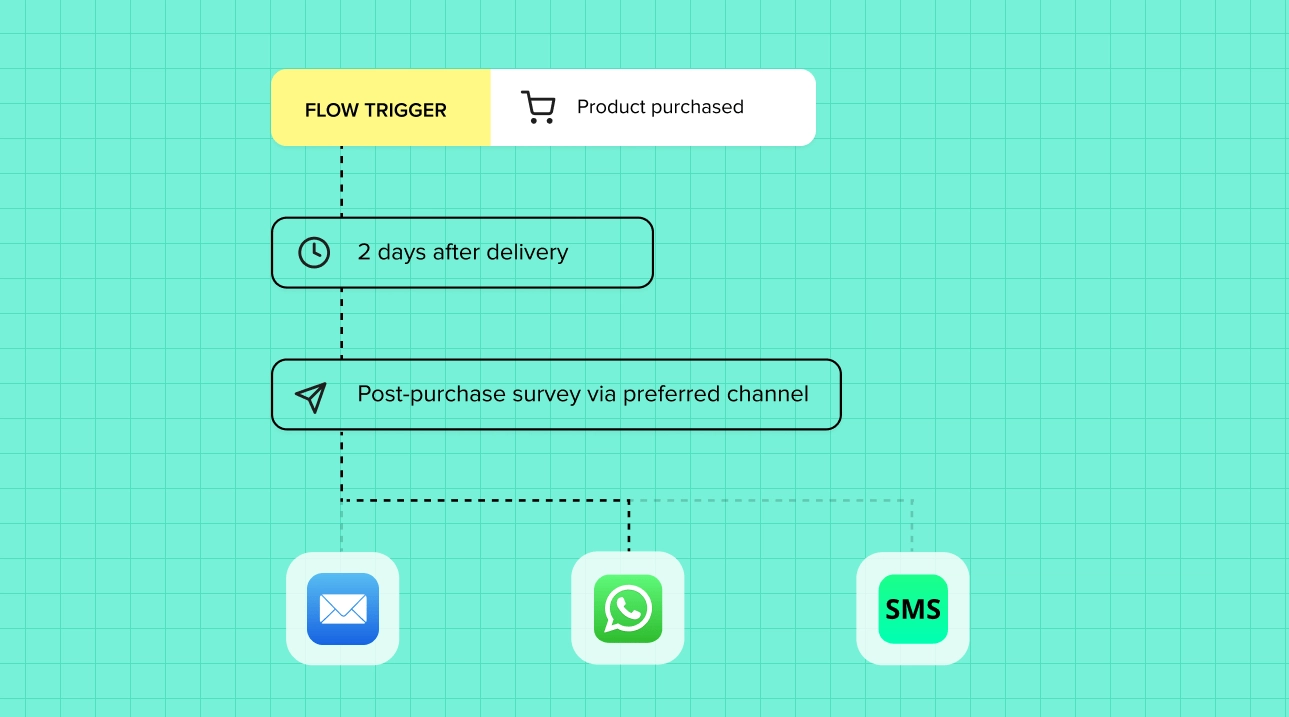
- By email after offboarding. A short follow-up a day or two later gives space for reflective, open-ended feedback once emotions have settled.
- On inactivity (silent churn). Trigger an in-app or email survey when usage drops below a threshold—often before the customer has consciously decided to leave, which means you can still save them.
- After a downgrade. Downgrades are early churn warnings. Ask what changed and what would justify the higher tier again.
Churn survey questions (with examples)
The golden rule: keep it brutally short. Someone who is leaving will not complete a ten-question survey. Lead with one structured question, then one open-ended follow-up.
The core cancellation question
“What’s the main reason you’re cancelling today?” (single choice)
- It’s too expensive / not worth the price
- I’m missing a feature I need
- I switched to a different tool
- I no longer need it
- I had technical issues or bugs
- Customer support didn’t meet my needs
- Other (please specify)
The follow-up that adds depth
- “Can you tell us a bit more about that?” (open-ended)
- “What is the one thing we could have done to keep you?”
Win-back and segmentation questions
- “Would you consider coming back in the future?” (Yes / Maybe / No)
- “If we fixed [reason], how likely would you be to return?” (0–10)
- “Where are you going instead?” (optional, reveals competitive gaps)
Map answers to action
Tie each reason category to an owner and a play:
| Churn reason | Type | Typical action |
|---|---|---|
| Price / value | Avoidable | Pricing review, value reinforcement, win-back offer |
| Missing feature | Avoidable | Product roadmap input, notify on release |
| Switched to competitor | Avoidable | Competitive analysis, differentiation |
| Poor support | Avoidable | Support process fix, follow-up apology |
| No longer needed | Often unavoidable | Pause option, seasonal re-engagement |
| Business closed / budget | Unavoidable | Track, but don’t over-index |
Best practices for the cancellation experience
- Ask one question, not ten. Completion beats completeness. You can always email for more later.
- Make it optional but easy. Never trap customers in a survey to cancel—dark patterns destroy trust and reputation.
- Offer a relevant save. If the reason is price, surface a discount or a pause option in the same flow.
- Personalize the open-ended prompt. Reference how long they’ve been a customer to invite a thoughtful reply.
- Close the loop. Route fixable reasons to the right team and, where appropriate, follow up. A closed feedback loop can recover customers and prevent the next departure.
Turning churn feedback into retention
Collecting reasons is step one. The value comes from acting on them:
- Categorize and quantify. Group free-text answers into themes and attach lost revenue to each. AI text analysis makes this fast even at scale.
- Rank avoidable churn. Fix the largest avoidable driver first; it has the highest payback.
- Build targeted win-backs. Email customers who left for a now-released feature, or who cited price, with a specific, relevant offer.
- Feed the retention program. Use what you learn to strengthen proactive retention strategies and track progress with customer retention metrics.
For the complete playbook, see our ultimate guide to customer retention and the reduce customer churn use case.
How Responsly helps you run churn surveys
Responsly is an AI-powered customer feedback platform built to collect non-annoying feedback at every stage—including the exit. For churn programs that means:
- Trigger surveys anywhere: embed a one-click cancellation survey in-product, send an email exit survey, or catch silent churn with an inactivity-triggered survey.
- Ready-to-use templates: launch quickly with a customer exit survey template and adapt it to your flow.
- AI analysis with Athena: Athena reads every open-ended cancellation comment, clusters the reasons automatically, and flags at-risk accounts before they churn—so you can intervene early.
- Analytics that connect feedback to revenue: segment churn reasons and track trends in feedback analytics to prove the impact of your fixes.
Browse the full set on the feedback collection hub or the customer feedback templates library.
Conclusion and next steps
A churn survey is the cheapest market research you’ll ever run: your departing customers are telling you exactly what to fix. Keep the cancellation question to a single click, follow up by email for depth, reach silent churners proactively, and—most importantly—turn the reasons into a prioritized list of fixes and win-back plays.
Start with a customer exit survey template, or create a free Responsly account and add a churn survey to your cancellation flow today. To complete the picture, pair it with your customer churn rate analysis and the broader set of customer service metrics.
FAQ
What is a churn survey?
What is the difference between a churn survey and an exit survey?
What questions should a cancellation survey ask?
How do you reduce churn using survey data?
Tagged in
Published