All posts
Karol Koronowicz
Human Experience Specialist

 10 min read
Listen and understand your customers. Win them at any stage of their journey.
cx Platform

A closed feedback loop is a structured process that turns customer feedback into action and closes the loop with the customer through acknowledgement, resolution, and follow-up. This guide is for CX leaders, support managers, product teams, and founders who want to reduce churn, improve customer experience, and build trust at scale. You’ll learn the closed-loop framework, practical workflows for surveys and support, the KPIs to track, and how to implement a closed feedback loop with tools like Customer Heaven, online surveys, and survey analytics.
What is a closed feedback loop?
A closed feedback loop is a feedback system where every meaningful signal is handled end-to-end:
- Collect feedback (surveys, reviews, support tickets, in-app prompts).
- Triage it (severity, topic, impact, urgency).
- Assign ownership (who will fix or respond).
- Take action (resolve the issue, ship improvement, clarify misunderstanding).
- Follow up with the customer (confirm what happened and what’s next).
- Measure results (CSAT/NPS changes, resolution time, retention impact).
If you stop after collecting feedback, you have an open loop. If you also respond and learn, you have a closed loop.
Why a closed feedback loop matters (beyond “being nice”)
The fastest way to lose trust is to ask customers for feedback and then ignore it. A closed feedback loop improves outcomes that matter to the business:
- Higher retention: customers are more likely to stay when issues are acknowledged and resolved.
- Better reviews and referrals: satisfied customers are more willing to recommend you and leave reviews (see how to increase Google reviews).
- Fewer escalations: proactive follow-up reduces repeat tickets and social media complaints.
- Clearer roadmap decisions: product teams can prioritize based on real pain points (see Voice of Customer (VoC)).
- Faster service recovery: closing the loop is the operational core of customer service recovery.
Open loop vs closed loop: what changes operationally?
| Approach | What you do | What customers feel | Typical outcome |
|---|---|---|---|
| Open loop | You collect feedback and store it. | “They asked, but nothing happened.” | Low trust, repeated complaints, missed opportunities. |
| Closed loop | You collect, respond, act, and follow up. | “They listened and fixed it.” | Higher loyalty, better experience, clearer priorities. |
| Closed loop at scale (with automation) | You route feedback by topic/severity, track status, and report themes. | “They respond fast and consistently.” | Predictable outcomes across teams and channels. |
The closed feedback loop framework (5 steps)
Step 1: Collect feedback in the right moments
The strongest closed-loop systems combine transactional and relationship feedback:
- Transactional (event-based): after a support ticket is solved, delivery is completed, or a form is submitted.
- Relationship (periodic): monthly/quarterly NPS, customer health check-ins, lifecycle surveys.
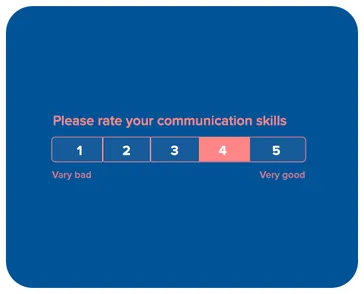
Start with proven templates and keep surveys short:
For distribution, use the channel customers actually respond to:
- email surveys for B2B touchpoints
- SMS surveys for local services and e-commerce delivery
- WhatsApp surveys for high-response conversational follow-ups
Step 2: Triage feedback (signal vs noise)
Not every comment needs the same handling. Build a triage system that captures:
- Severity: how harmful is this problem (e.g., billing bug vs cosmetic issue).
- Impact: how many customers are affected and how often.
- Intent: complaint, bug report, feature request, confusion, praise, churn risk.
- Channel: review, survey, ticket, social, call notes.
Practical approach:
- Treat any low CSAT or “detractor” response as a follow-up required item.
- Treat feedback that indicates blocked workflows as urgent (ownership + timeline).
- Treat repetitive themes as roadmap candidates (with quantified impact).
Step 3: Assign ownership (without “ping-pong”)
Closed-loop programs fail most often at handoff. Make ownership explicit:
- Support owns: issues, bugs, delivery/service failures, refunds and replacements.
- Product owns: usability gaps, missing functionality, recurring feature requests.
- CS/Success owns: churn risk, onboarding friction, adoption barriers.
- Marketing owns: messaging confusion, expectations mismatch, pricing objections.
Create a simple status model that everyone understands:
Open→In progress→Resolved→Followed up→Closed
If you already track service issues, align your closed-loop process with your complaint-handling workflows (see how to respond to customer complaints).
Step 4: Take action and follow up (the “closing” part)
Closing the feedback loop has two parts:
- Operational action: fix the issue, ship improvement, clarify, or compensate.
- Customer follow-up: confirm what happened and what comes next.
The follow-up message should be short and specific:
- acknowledge the feedback,
- state what you did (or what you will do and by when),
- invite a reply if the issue persists.
If you need a recovery playbook, use service recovery patterns and measure outcomes after the fix (see customer service recovery).
Step 5: Measure and improve (closed loop KPIs)
You can’t scale what you can’t measure. Track a small set of KPIs that reflect both speed and outcomes.
Core KPI: closed-loop rate
Example:
Other useful KPIs:
- Time to first response (median hours)
- Time to resolution (median days)
- Recovery CSAT (CSAT after issue resolution)
- Reopen rate (percent of issues reopened after “resolved”)
- Theme recurrence (same issue repeating after fix)
To connect loop health to business outcomes, pair closed-loop KPIs with retention metrics (see customer retention rate and customer churn rate).
How to build a closed feedback loop in real teams (roles + SLAs)
The practical difference between an “idea” and a working closed-loop system is clarity: who responds, by when, and how decisions get made. The simplest operational model is to assign one owner per feedback type and define service level targets (SLAs).
Recommended SLAs for closed-loop feedback
These are realistic starting points for most B2B and service teams:
- High severity issues (blocking, billing, data loss): first response within 2–4 hours, resolution plan within 1 business day.
- Operational issues (late delivery, appointment problems): first response within 24 hours, resolution within 1–3 business days.
- Product usability issues: acknowledgement within 2 business days, follow-up with workaround or timeline within 5–10 business days.
- Feature requests: acknowledgement within 2–5 business days, decision update on a monthly cadence.
The key is not perfect speed—it’s predictability. Even “we don’t have an ETA yet, but we’re tracking this and we’ll update you by Friday” closes the loop better than silence.
Who should own closed-loop feedback?
Use a simple ownership map:
- Support / Ops owner: complaints, incidents, refunds, service failures.
- Product owner: repeated pain points, UX issues, feature requests, roadmap themes.
- Customer Success owner: detractors, churn risk signals, onboarding friction.
- Marketing owner: confusing expectations, messaging mismatch, “I thought it did X” feedback.
If you want to mature this into a full program, it typically becomes part of your VoC strategy (see Voice of Customer (VoC)).
How to prioritize feedback (a simple scoring model)
The goal of prioritization is to make decisions transparent and repeatable. A lightweight scoring model is often enough.
| Criterion | Question | Score (1–5) |
|---|---|---|
| Frequency | How often does this show up? | 1 = rare, 5 = constant |
| Impact | How painful is it for the customer? | 1 = mild, 5 = blocking |
| Revenue risk | Does it affect churn or expansion? | 1 = no, 5 = high |
| Effort | How hard is it to fix? | 1 = easy, 5 = hard |
You can calculate a simple priority score like:
This isn’t “scientific”, but it forces productive discussions and makes trade-offs explicit.
Closed-loop message templates (what to send to customers)
To increase trust, your follow-up should be short and concrete. Use these templates as a starting point.
Acknowledgement (same day)
Hi [Name] — thanks for the feedback. I’m sorry about the experience.
I’m looking into this now and will update you by [time/date].
Resolution + confirmation
Hi [Name] — quick update: we fixed [issue] and verified it on our side.
Could you confirm it’s working for you now? If not, reply here and we’ll keep digging.
Feature request follow-up (no ETA)
Hi [Name] — thanks for the suggestion about [feature].
We’ve logged it and grouped it with similar requests. I can’t promise a timeline yet,
but we review these monthly and I’ll update you by [date].
A practical closed-loop workflow using surveys (CSAT / NPS)
If you want a simple workflow that works across industries, start with post-interaction feedback:
- Send a short CSAT survey after a completed interaction (delivery, appointment, ticket solved).
- Route negative feedback to a follow-up queue (owner + SLA).
- Track resolution and follow-up completion in one dashboard.
- Review themes weekly and turn high-frequency issues into action items.
If you already use NPS, treat it as a relationship signal and route responses differently:
- Promoters: ask for referrals or reviews (carefully, without pressure).
- Passives: ask for one improvement that would move them to a 9–10.
- Detractors: follow up quickly, capture the root cause, and track recovery outcomes.
If you’re implementing an NPS program from scratch, see how to implement NPS surveys and our detailed guide on NPS calculation. For background on the metric’s intent and common use, Bain’s overview is a good neutral reference: Net Promoter Score (NPS) explained.
Common mistakes that break the loop
Asking for feedback without a follow-up plan
If you don’t have ownership and a response path, surveys create frustration. Start with a small scope (one team, one touchpoint) and expand after you can reliably follow up.
Treating feedback as a vanity metric
Closed-loop success is not “more survey responses”. It’s faster resolution, fewer repeat issues, improved sentiment, and better retention. Use dashboards to track real outcomes.
Mixing feature requests with urgent issues
Feature requests need expectation management; urgent issues need immediate action. Don’t put both into the same queue without prioritization criteria.
No single place for themes and decisions
If feedback themes live in scattered spreadsheets, you will not learn. Consolidate feedback, tag it consistently, and review it on a cadence.
Closed feedback loop examples (by use case)
Closed-loop for customer support
The support version of closed-loop feedback is essentially: collect feedback after an interaction, recover if needed, and prevent repeats.
- Send CSAT after resolution (email/SMS).
- If CSAT is low, follow up within your SLA.
- Tag the root cause (bug, policy, training, unclear UI).
- Review top causes weekly and connect them to improvements.
To choose metrics for this workflow, see customer service metrics.
Closed-loop for product feedback (roadmap decisions)
Product teams often “close the loop” incorrectly by collecting ideas but not communicating outcomes. A better approach:
- Group feedback into themes (jobs to be done, friction points).
- Quantify impact (frequency and revenue risk).
- Decide: build, postpone, or decline—with a reason.
- Update customers who asked (even if the answer is “not now”).
This is where product experience and customer experience overlap (see product experience guide).
Closed-loop for reviews and public reputation
Public reviews are the output of your closed-loop system. You can reduce negative surprises by collecting private feedback first, then responding quickly and consistently (see Google reviews workflow). If reviews are a core channel for your business, Google’s guidance on review engagement is worth following: review best practices.
How Responsly helps you run a closed feedback loop
Responsly is built for teams that want to collect feedback, act on it, and measure outcomes across channels.
With Responsly you can:
- create surveys in minutes with Survey Maker,
- launch faster using templates (including product feedback survey),
- distribute surveys across email, SMS, and WhatsApp,
- monitor outcomes in survey results,
- operationalize follow-ups and CX work with Customer Heaven.
If you want to set up a closed feedback loop now, create an account.
Summary: your closed-loop checklist
Use this as a quick implementation checklist:
- Collect feedback at key moments (transactional + relationship).
- Triage by severity and theme.
- Assign ownership and SLAs.
- Act and follow up with the customer.
- Measure closed-loop rate, response time, resolution time, and recovery outcomes.
- Review themes weekly and convert top issues into roadmap or process fixes.