All posts
Karolina Konopka
Customer Success Manager

 4 min read
Listen and understand your customers. Win them at any stage of their journey.
cx Platform
In the world of Customer Experience (CX), we often obsess over “delighting” the customer. But research shows that reducing effort is actually a much stronger predictor of customer loyalty than delight.
Enter the Customer Effort Score (CES).
This metric answers one simple but powerful question: How easy was it for your customer to get what they wanted? In 2026, where convenience is the ultimate currency, minimizing friction is the key to retention.
In this guide, we will cover the definition of CES, how to calculate it, when to use it compared to NPS and CSAT, and practical tips to improve your score using tools like Responsly.
What is Customer Effort Score (CES)?
Customer Effort Score (CES) is a customer service metric that measures the ease of an interaction with a company. It asks customers to rate the effort they had to exert to resolve an issue, purchase a product, or get an answer.
The core philosophy behind CES is the “Effortless Experience”—the idea that loyalty is built not by wowing customers, but by helping them solve their problems quickly and easily.
The Standard CES Question
The most common version of the CES question is:
“To what extent do you agree with the following statement: The company made it easy for me to handle my issue.”
Respondents typically answer on a Likert scale from 1 to 7:
- 1: Strongly Disagree (High Effort)
- 7: Strongly Agree (Low Effort)
How to Calculate CES?
Calculating your Customer Effort Score is straightforward. It is usually an average of all responses.
The Formula:
Example: If you receive 100 responses and the sum of their ratings (on a 1-7 scale) is 580:
A higher score means lower effort (better experience). A lower score means the customer struggled (friction).
CES vs. NPS vs. CSAT: When to use what?
CES doesn’t replace Net Promoter Score (NPS) or Customer Satisfaction (CSAT). It complements them.
| Metric | Focus | Question | When to use? |
|---|---|---|---|
| CES (Customer Effort Score) | Ease of Use | ”How easy was it…?” | After support interactions, onboarding, or checkout. |
| NPS (Net Promoter Score) | Loyalty | ”How likely are you to recommend…?” | Periodically (e.g., quarterly) to measure overall relationship. |
| CSAT (Customer Satisfaction) | Happiness | ”How satisfied are you…?” | After specific touchpoints to gauge immediate sentiment. |
Key takeaway: Use CES to find friction, NPS to measure loyalty, and CSAT to measure happiness.
When should you measure CES?
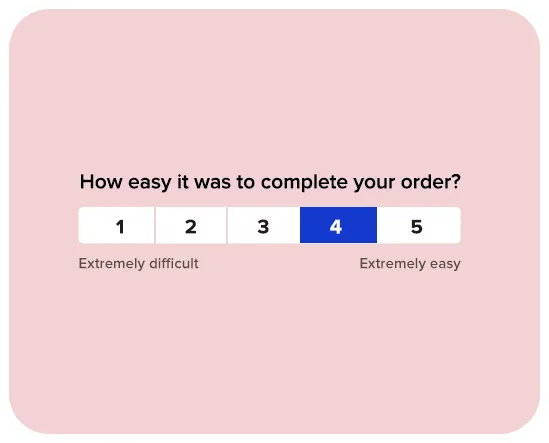
Timing is critical for accurate Customer Effort Score data. You want to capture the feedback while the interaction is fresh.
After a Support Ticket is Closed: Did the agent resolve the issue quickly? Did the customer have to repeat themselves?
After a Purchase/Checkout: Was the buying process seamless?
After Self-Service Interaction: Did the knowledge base article answer their question, or did they have to call support anyway?
After Onboarding: Was it easy to get started with your software?
5 Tips to Improve Your Customer Effort Score
Improving CES means removing obstacles. Here is how to do it:
1. Offer Omnichannel Support
Don’t force customers to switch channels. If they contact you on WhatsApp, don’t tell them to email you. Use tools that unify conversations.
2. Implement Self-Service Options
67% of customers prefer self-service over speaking to a representative. Build a robust knowledge base or use AI chatbots to answer common questions instantly.
3. Avoid “Next Issue Avoidance”
Don’t just solve the current problem. Anticipate the next one. If a customer calls about a billing error, check if their card is about to expire and fix that too.
4. Use Automation to Collect Feedback
Don’t rely on manual surveys. Use Responsly to automatically trigger a CES survey template immediately after a ticket is resolved or a milestone is reached.
5. Analyze Open-Ended Feedback
The score tells you how easy it was. The comment box tells you why it wasn’t. Use text analytics to find recurring keywords like “wait time”, “password”, or “confusing”.
Best Tools to Measure CES
To effectively track and improve CES, you need a tool that can send transactional surveys via email, link, or website widgets.
Responsly: The best all-in-one choice. It offers dedicated CES templates, integrates with your CRM/Helpdesk, and provides real-time analytics.
Zendesk / Freshdesk: Great for support teams, but often limited in customization.
Hotjar: Good for visual feedback on website friction.
Summary
In 2026, the companies that win are the ones that are the easiest to do business with. Customer Effort Score is your compass for finding and eliminating friction.
Don’t guess how hard your customers are working. Start measuring CES today with Responsly and create an effortless experience that keeps them coming back.