Table of contents

Beyond casual conversations, WhatsApp is a fantastic platform for interactive engagement. Creating a quiz is one way to add a touch of fun and knowledge-sharing to your WhatsApp group. Whether for educational purposes, team-building, or just for a good time, crafting a quiz on WhatsApp is simpler than you might think.
In this step-by-step guide, we’ll walk you through how to create a quiz on WhatsApp using two distinct methods: the quick built-in polling feature and a professional quiz maker for more advanced needs.
Methods for Creating a Quiz on WhatsApp
There are two main ways to run a quiz on WhatsApp, each serving different purposes:
- WhatsApp Built-in Polls: Best for single, quick questions. It’s limited to one question at a time and has no automatic scoring.
- External Quiz Maker (Responsly): Best for multi-question quizzes, scored tests, and lead generation. You create the quiz externally and share the link.
Comparison: Built-in Polls vs. Responsly Quiz Maker
| Feature | WhatsApp Built-in Polls | Responsly Quiz Maker |
|---|---|---|
| Questions | Single question per poll | Unlimited questions |
| Grading | Manual check required | Automatic scoring |
| Question Types | Multiple choice only | Multiple choice, open text, rating, image |
| Analytics | View votes per person | Detailed charts, trends & exports |
| Lead Gen | None | Email capture & forms |
| Reach | Single chat group | Unlimited sharing via link |
Method 1: Using WhatsApp Built-in Polls
For a simple, one-off trivia question, WhatsApp’s native poll feature is the fastest option. Here is how to use it:
Step 1: Open Your Chat Go to the WhatsApp group or individual chat where you want to host the quiz.
Step 2: Select ‘Poll’ Tap the attachment icon (paperclip on Android, ’+’ on iOS) and select Poll from the menu.
Step 3: Create Your Question Type your question (e.g., “What is the capital of France?”) and add your answer options.
- Tip: You can drag and drop options to change their order.
Step 4: Send and Monitor Hit send. As users vote, you will see the results update in real-time. To “grade” it, you will need to manually check who voted for the correct answer.
Method 2: Creating a Professional Quiz with Responsly
If you want a real quiz with multiple questions, automatic scoring, and results tracking, you need a dedicated tool—compare your options in our roundup of the best free online quiz makers. Responsly allows you to create engaging quizzes in minutes and share them seamlessly on WhatsApp.
Step 1: Define Your Quiz Theme
Before diving into the tool, define your goal. Are you creating a customer satisfaction quiz, a trivia game, or an employee knowledge test?
- Idea: Use a multiple-choice format for higher engagement, or start from ready-made quiz templates to save time.
Step 2: Use AI to Generate Questions
With Responsly, you don’t need to write every question from scratch. Use the AI Quiz Generator to create a quiz from a simple text description or by uploading a file (PDF/DOCX).
- Prompt Example: “Create a 10-question trivia quiz about 90s pop culture, medium difficulty.”
Step 3: Customize Your Quiz
Add images, videos, or GIFs to make your quiz visually appealing. You can also enable scoring to show participants their results immediately after completion.
- Feature: Add a lead generation form to collect emails before showing the score.
Step 4: Distribute via WhatsApp
Once your quiz is ready, Responsly generates a unique link.
- Copy the quiz link.
- Paste it into your WhatsApp group or broadcast list.
- Add a catchy message: “Think you know 90s music? Take this quiz and see if you can beat my score! [Link]”
You can also use Responsly’s WhatsApp Survey features to distribute quizzes automatically to large lists of contacts. Prefer another messaging app? The same approach works to create a quiz on Telegram, and you can manage every channel from one place with omnichannel distribution.
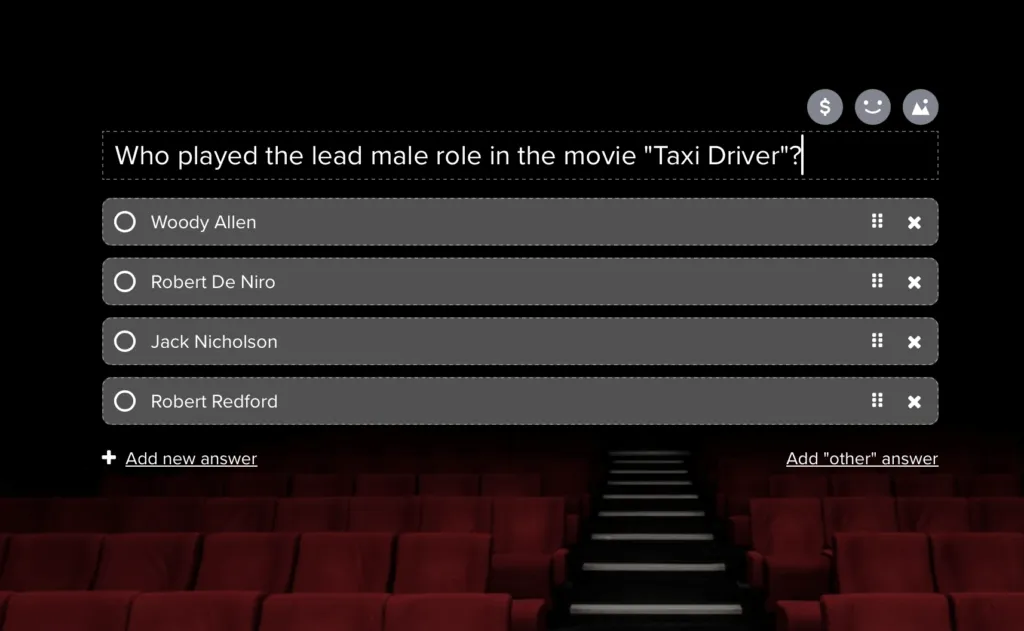
Whatsapp quiz questions with answers
The biggest advantage of using tools like Responsly is the ability to present rich media questions and provide instant feedback.
Why Use an External Tool?
- Scalability: Share with thousands of people without creating massive groups—generate a QR code to post the quiz anywhere.
- Insights: See exactly which questions people get wrong. Perfect for employee training or product education.
- Branding: Add your company logo and colors to the quiz page.
Summary
Creating a quiz on WhatsApp is a powerful way to engage your audience, whether for fun or business. While WhatsApp’s built-in polls are great for quick questions, tools like Responsly unlock the full potential of quizzes with AI generation, automatic scoring, and detailed analytics.
Ready to launch your first quiz? Sign up for Responsly today and start creating interactive experiences for your WhatsApp contacts in minutes!
FAQ
Can I create a graded quiz directly in WhatsApp?
How do I make a poll on WhatsApp?
Is there a limit to how many people can take my WhatsApp quiz?
Can I collect emails through a WhatsApp quiz?
Last updated