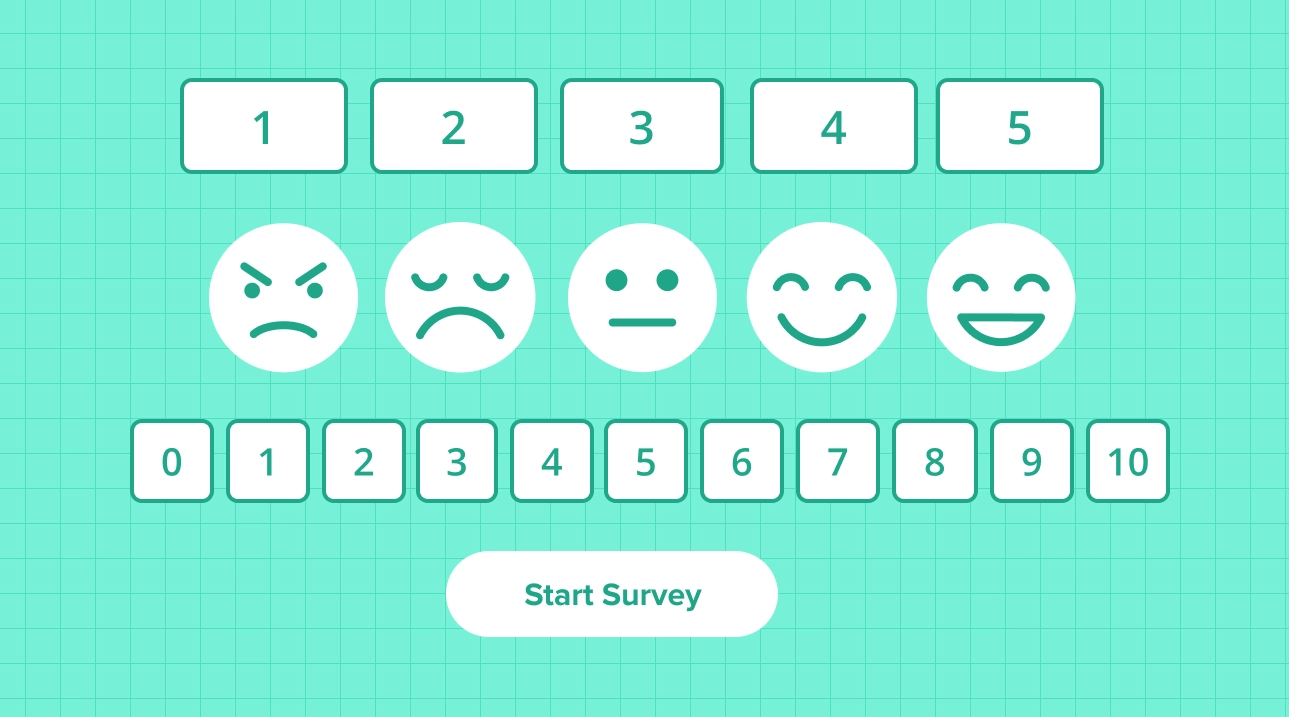
Table of contents
Multiple Choice Questions (MCQs) have long been a staple in educational assessments, surveys, and evaluations. Their structured format and versatility make them a powerful tool for gauging knowledge, understanding, and critical thinking skills. In this blog post, we will explore the various types of MCQs, provide examples, and offer sample question types to demonstrate their application.
What are multiple choice questions?
Multiple Choice Questions (MCQs) serve as foundational elements in survey instruments, presenting respondents with a range of answer choices. These questions can feature either single or multiple-response options, making them integral components of surveys and questionnaires.
In the survey landscape, they represent the cornerstone, demanding participants to choose one or more selections from the provided alternatives.
When conducting surveys, the considerations often revolve around two key aspects: the nature of the questions to be posed and the data gleaned from the ensuing responses. At its core, the crux of successful survey endeavors is crafting pertinent questions capable of eliciting clear and valuable data.
Surveys offer a diverse array of question types, each designed to extract specific insights from respondents. Among these variations, close-ended questions emerge as the prevalent choice in survey design. These questions, characterized by predetermined response options, streamline the data collection process, ensuring a structured and efficient approach to gathering valuable information.
Multiple choice questions are one specific type of close-ended question. If you want the wider picture—dichotomous, rating scale, Likert, and checkbox formats—read our guide to close-ended questions. This article focuses specifically on MCQs: their anatomy, variations, and how to build them.
Parts of multiple choice questions
Multiple-choice questions (MCQs) typically consist of several key parts. These parts are designed to present a question and a set of possible answers, with the task of the test-taker being to choose the correct answer. Here are the common components of a multiple-choice question:
Stem: The stem is the main part of the question that poses the problem or scenario to the test-taker. It is usually a sentence or a brief paragraph.
Options/Choices: These are the possible answers provided for the question. The test-taker must choose the correct one among them. Options are often labeled with letters (A, B, C, etc.) or numbers.
Correct Answer: This is the response that is considered the right answer to the question. In the answer key, it is typically indicated which choice is correct.
Distractors: Distractors are the incorrect options in a multiple-choice question. They are included to make the question more challenging and to test the test-taker’s knowledge and understanding. These options should be plausible to someone who misunderstands the question or is not well-versed in the topic.
Key: The key is a reference to the correct answer among the choices. It indicates the relationship between the stem and the correct response.
Lead-In or Directive: Some multiple-choice questions include an additional directive or lead-in, providing guidance on how to approach the question. For example, “Select the best answer,” “Choose the most appropriate option,” etc.
Types and examples of multiple choice questions
The variety of multiple-choice question (MCQ) types offers various options for survey creators to tailor their assessments to different needs. Here are examples and explanations of various MCQ types:
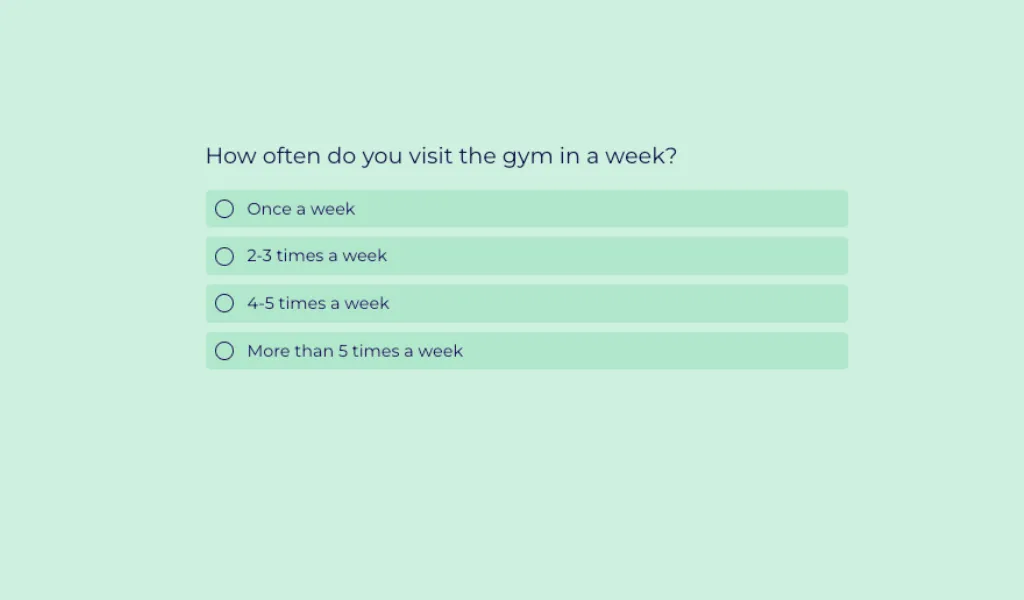
Single select multiple choice question
Single select questions require respondents to choose just one answer from a predefined set of options. Among the most widespread question types, they are crucial in pinpointing a user’s primary preference within a given range of choices. These questions are considered closed-ended, streamlining the respondent’s decision-making process by guiding them through options they may not have initially considered. Notably, user-friendly, single-select questions are easily navigable, making them well-suited for responses on handheld devices such as mobile phones, iPads, tablets, and similar devices.
- Example: What is the capital of France?
- Options:
- A. Berlin
- B. London
- C. Paris
- D. Madrid
- Result: Respondents choose only one correct answer (C. Paris).
Multi-select multiple choice question
Multi-select multiple-choice questions closely resemble traditional multiple-choice questions but with a key distinction—they allow for the selection of more than one correct answer. Survey creators have the flexibility to generate numerous choices based on the complexity of the inquiry. In the case of multi-select questions, the order of selections may vary with each presentation, introducing a dynamic element. However, in non-permuting multiple-selection questions, the order of choices remains constant. These questions utilize checkboxes, requiring respondents to choose the most suitable answers from the provided options, adding depth to their responses.
- Example: Select all prime numbers.
- Options:
- A. 2
- B. 4
- C. 7
- D. 9
- Result: Respondents can choose multiple correct answers (A. 2, C. 7).
Star rating multiple choice question
In this particular question format, respondents are empowered to express their evaluation of a question or rank items by assigning stars. The rating system operates on a straightforward principle: a higher number of stars signifies a more favorable rating, while fewer stars indicate a lower rating. The cumulative response is derived by summing up the stars assigned to each choice. This question type proves particularly effective when seeking feedback on whether respondents appreciate a product or service. Widely employed in diverse surveys, these survey questions are notably user-friendly, requiring respondents to simply click on the stars to convey their response.
- Example: Rate your satisfaction with our services.
- Options: ★☆☆☆☆ (1 star) to ★★★★★ (5 stars)
Slider multiple choice question
Sliders are universally popular, and not just in the culinary realm. Text slider questions offer a compelling substitute for open-ended inquiries, aiding respondents in understanding the posed questions by presenting predefined answers. Respondents utilize the sliding mechanism to pinpoint the most fitting response along the scale. This question type proves versatile, finding application in various surveys. A noteworthy advantage of the slider question is the inclusion of a neutral option, allowing respondents to indicate when they have no specific opinion on the matter.
- Example: On a scale from 1 to 10, how likely are you to recommend our product?
- Options: 1 (Not likely) to 10 (Very likely)
Numeric slider multiple choice question
The numeric slider multiple-choice question empowers respondents to express their preferences by sliding and assigning a score within the range of 0 to 100. In essence, this question captures numerical values as indicators of respondent preferences. A lower numeric value signifies a lower level of satisfaction, while a higher value indicates increased satisfaction. This scoring mechanism provides a quantitative and nuanced way for respondents to articulate their sentiments, allowing for a more granular understanding of their opinions and experiences.
- Example: Rate your experience with our customer service from 0 to 100.
- Options: 0 (Unsatisfied) to 100 (Very satisfied)
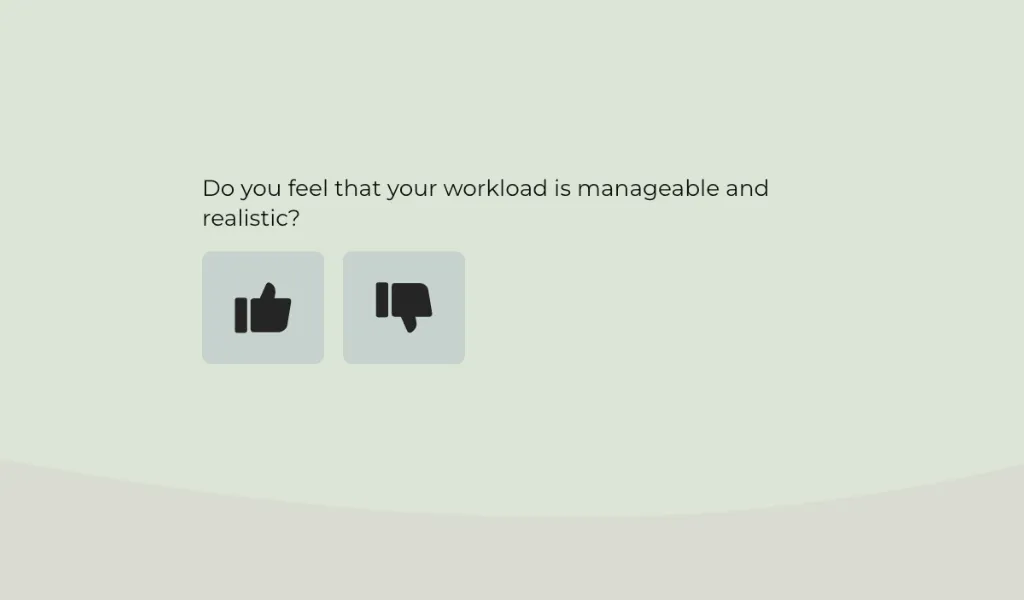
Thumbs Up/Down multiple choice question
Pose a binary rating question, incorporating the familiar thumbs-up or thumbs-down option to gauge respondent opinions efficiently. This visual aid, featuring images of a thumbs-up signifying approval and a thumbs-down indicating disapproval, streamlines the rating process, allowing respondents to swiftly express their preference between liking and disliking. While this offers a quick and straightforward choice, it is prudent for survey creators to include a text box for additional comments.
- Example: Do you like our new website design?
- Options: 👍 (Thumbs up) or 👎 (Thumbs down)
Smiley rating multiple choice question
The Star Rating question allows respondents to assess a statement using a visual scale represented by stars or smileys. Each icon in the scale carries a designated weight, contributing to the calculation of a weighted average in the Analyze Results section. Typically configured with a 5-point scale, this question type offers flexibility for survey creators to incorporate more points if desired.
- Example: How would you rate the ease of use of our app?
- Options: ☹️ (Unsatisfied) to 😊 (Very satisfied)
Matrix Table Multiple Choice Question
The matrix table multiple-choice question offers a concise way to present multiple inquiries within a single table. In this configuration, each column operates independently as a distinct question, featuring its unique structure, format, and choices. Simultaneously, each row corresponds to an individual item, prompting respondents to address the array of side-by-side questions. This format efficiently organizes information, simplifying the survey-taking experience for participants.
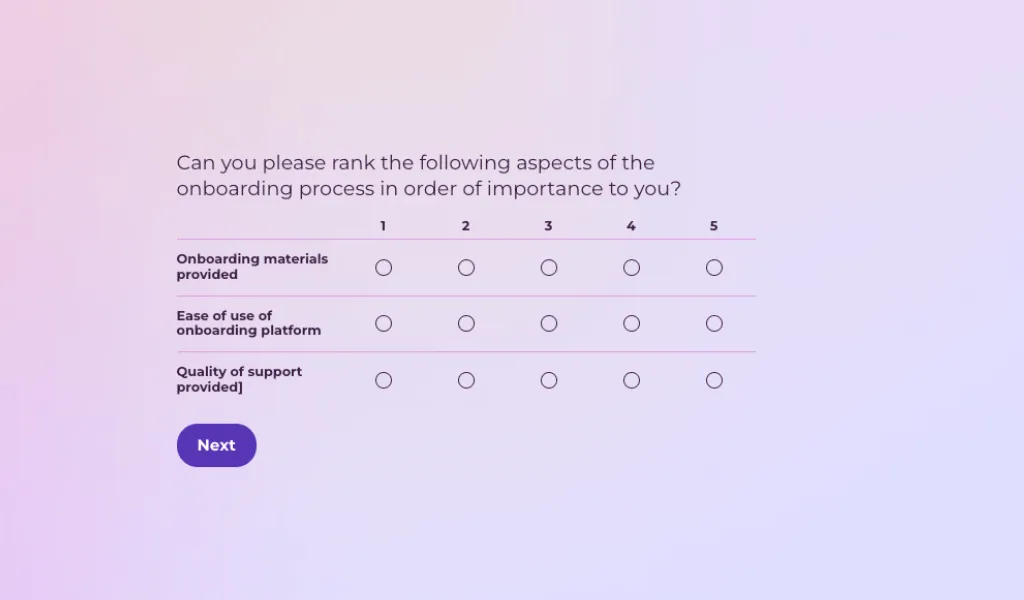
Rank Order Multiple Choice Question
The Rank Order question type is a valuable tool for survey creators. It allows respondents to arrange a set of items in order of their preference. This type of question can be used for multiple-choice questions where respondents can prioritize a selection of brands or products based on a specific attribute or characteristic. The ranking is expressed numerically, often through a dropdown box.
- Example: Rank the following smartphone brands based on camera quality.
- Options: [List of brands to rank]
Dropdown Multiple Choice Question
In this survey question format, participants select one option from a dropdown list. This is similar to a single-select question but takes up less space on the screen, making it ideal for long lists of options like country selection or age groups.
Single select image-based multiple choice question
This single-select multiple-choice question integrates images alongside answer options, employing radio buttons for selection. Respondents are required to choose one option from the available image set. The incorporation of visuals enhances the survey experience, facilitating quicker and easier processing for participants.
- Example: Choose the most visually appealing logo for our brand.
- Options: [Images of different logos]
Multiple Choice vs. Open-Ended Questions
Understanding when to use MCQs versus other types is key to survey design.
| Feature | Multiple Choice Questions (MCQ) | Open-Ended Questions |
|---|---|---|
| Data Type | Quantitative (structured) | Qualitative (unstructured) |
| Analysis | Fast, automated statistical analysis | Slower, requires manual reading or AI sentiment analysis |
| Respondent Effort | Low (easy to click) | High (requires typing) |
| Depth of Insight | Limited to provided options | Unlimited, rich detail |
| Best Use Case | Quizzes, satisfaction ratings, demographic data | Feedback, suggestions, detailed explanations |
Advantages of multiple choice questions
Multiple-choice questions (MCQs) offer several advantages in various educational, assessment, and survey contexts:
Efficiency and speed: Multiple Choice Questions (MCQs) serve as an effective tool that enables the comprehensive evaluation of a vast amount of content or a wide variety of topics. This can be achieved in a surprisingly short amount of time, which makes the MCQ format both efficient and time-saving.
Objective assessment: Multiple-choice questions (MCQs) offer an objective method of assessing a student’s knowledge and understanding of a given topic. This type of assessment is particularly beneficial because it significantly reduces the level of subjectivity that is often associated with open-ended questions. With MCQs, grading becomes more consistent across the board.
Wide coverage: These assessments have the capacity to cover a broad and diverse range of topics. This ensures that a comprehensive set of content areas or skills is evaluated within a single assessment. It provides a holistic approach to evaluating a student’s knowledge.
Standardization: Multiple Choice Questions (MCQs) have a significant advantage in that they can be standardized relatively easily. This inherent feature of MCQs ensures that every participant, irrespective of their background or level of preparation, faces the exact same set of questions.
Immediate feedback: In educational settings, multiple-choice questions (MCQs) serve as an effective tool for assessing knowledge and understanding. They provide the advantage of offering immediate feedback to learners.
Create MCQs effortlessly with Responsly
Having grasped the essence of multiple-choice questions and their diverse applications, it’s time to kickstart your survey journey. Elevate your experience with Responsly, your ideal companion for crafting, distributing, and analyzing surveys.
With Responsly, you can:
- Use AI to Generate Questions: Simply type a topic, and our AI Survey Generator will create relevant MCQs for you.
- Access 25+ Question Types: Including all the multiple-choice variations discussed above — see how to add and configure choice questions in Responsly.
- Analyze Automatically: Get instant charts and statistics without manual calculation.
- Share Anywhere: Distribute your MCQs via link, email, SMS, or QR code.
Ready to create your first multiple-choice survey? Sign up for Responsly today and start collecting data in minutes.