Table of contents
- What is survey translation?
- The survey translation process
- Survey translation services: professional vs. automatic
- How to translate a survey in Responsly
- Survey translation by use case
- Survey translation in SurveyMonkey
- Survey translation in Qualtrics
- Right-to-left languages: surveys in Arabic
- Survey translation best practices checklist
- Start translating your surveys
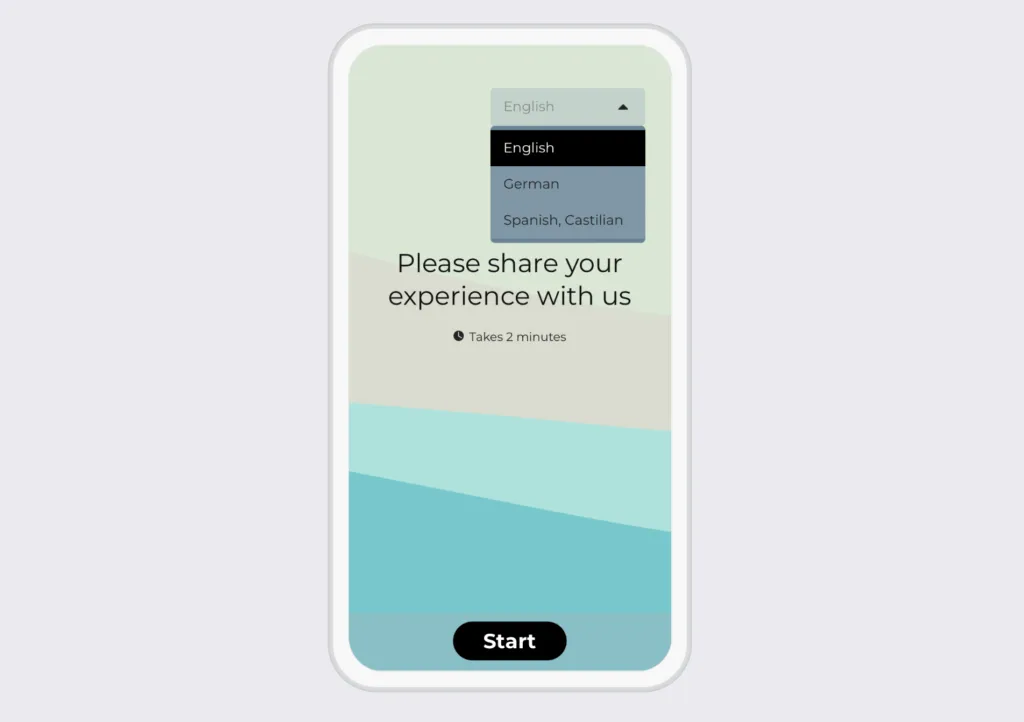
Survey translation is the process of adapting a survey or questionnaire into another language so it stays linguistically and culturally equivalent to the original. Done well, it preserves meaning, not just words, so respondents in every language interpret each question the same way. This guide covers the survey translation process, when to use professional vs. automatic translation services, use-case-specific tips, and how to translate surveys in Responsly, SurveyMonkey, and Qualtrics. If you just want to get started, you can run multilingual surveys in Responsly in seconds with the survey maker.
What is survey translation?
Survey translation converts a questionnaire from a source language into one or more target languages while keeping the questions clear, accurate, and culturally appropriate. It’s more than a word-for-word swap: a question that works in English can confuse or offend if translated literally into another language. The goal is equivalence—respondents everywhere should understand and answer questions the same way, so your data stays comparable across markets.
Accurate survey translation matters most when you’re running market research, cross-cultural studies, or any survey for a multilingual audience. Poor translation leads to unreliable data and wrong conclusions—undermining the entire project.
The survey translation process
A reliable survey translation process moves through a few key stages rather than a single pass:
- Initial translation — a qualified translator converts the source survey into the target language using plain language, not jargon.
- Back translation — a second translator translates it back into the original language so you can compare it to the source and catch meaning drift.
- Expert review and reconciliation — reviewers fluent in the target language and culture resolve discrepancies.
- Cultural adaptation — adjust formats, examples, and question structure so they’re appropriate locally without changing meaning.
- Pre-testing — pilot the translated survey with a small sample to catch confusing or culturally off items before launch.
Two principles run through all of it: choose translators who deeply understand the target language and culture, and keep communication open between researchers, translators, and respondents.
Survey translation services: professional vs. automatic
When people search for survey translation services, they’re usually weighing two options—hiring professionals or using built-in automatic translation. Each has trade-offs:
| Approach | Pros | Cons | Best for |
|---|---|---|---|
| Professional translation services | High accuracy, cultural nuance, expert review | Higher cost, slower turnaround | Research, regulated, or high-visibility surveys |
| Automatic (machine) translation | Instant, low cost, easy to scale | Can miss nuance or context | Quick, internal, or low-stakes surveys |
You don’t have to pick just one. A practical hybrid is to machine-translate first, then have a native speaker review the result—fast and affordable, with a human quality check where it counts. Responsly supports exactly this workflow: instant automatic translation you can edit line by line.
How to translate a survey in Responsly
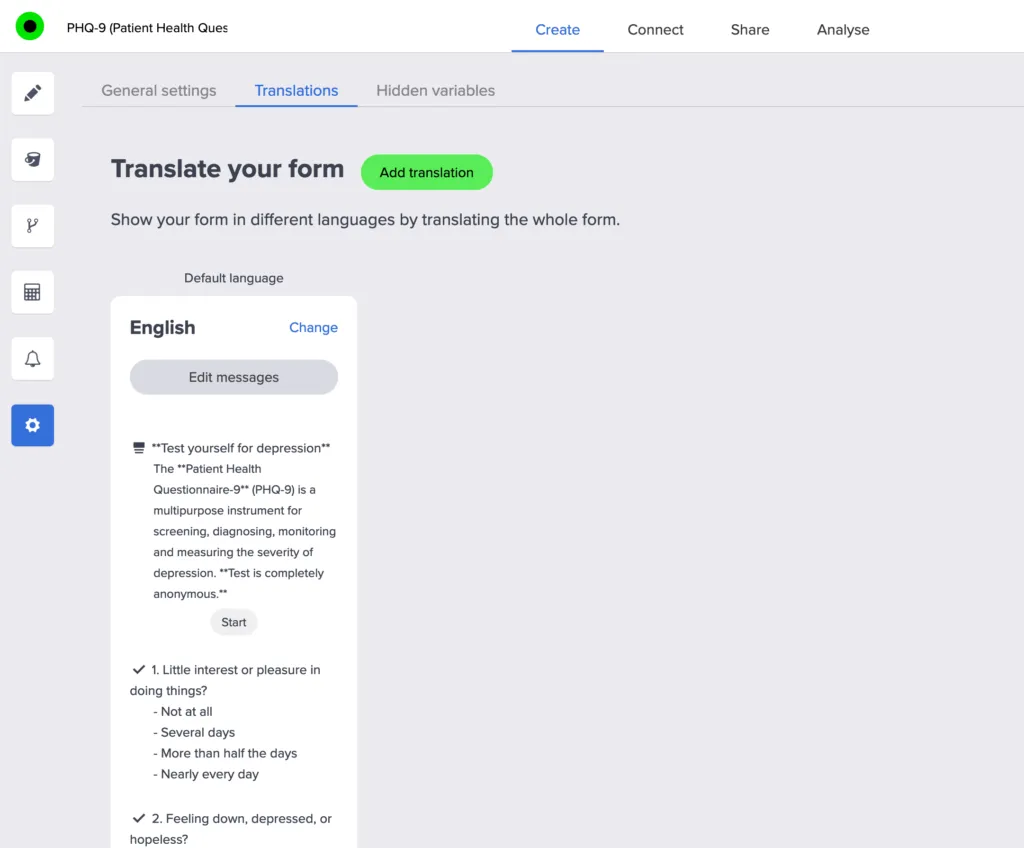
Responsly makes survey translation quick and flexible:
- Open your survey and click Add translation.
- Select the language you want to translate into.
- Click Automatic translation to instantly machine-translate every question.
- Edit any text field manually, or upload a translation file for full control.
- Set right-to-left (RTL) alignment for languages like Arabic or Hebrew.
You can also auto-translate incoming responses so you analyze feedback in one language, and use automatic language detection to show each respondent the right version. See the full multilingual surveys guide for details.
Survey translation by use case
The right level of rigor depends on what you’re translating:
- Market research surveys — accuracy and equivalence are critical for comparable cross-market data; use back translation and pre-testing. See our market research guide and quantitative vs. qualitative research.
- Employee survey translation — global teams need every employee to answer in their own language for fair, honest engagement data; automatic translation with a quick native-speaker review usually suffices.
- Patient survey translation — in healthcare, mistranslation carries real risk, so translate care terms with clinicians, not just dictionaries. Pair this with the right patient satisfaction survey questions for healthcare teams.
- Customer feedback surveys — reach a global customer base and collect reliable data with online survey tools that translate in-app.
Survey translation in SurveyMonkey
SurveyMonkey translation is available through its multilingual survey feature, where you add languages manually or use automatic translation. In practice, users often find the interface cluttered and the process of adding translations time-consuming. Responsly offers the same multilingual capability with a cleaner flow—add a language, auto-translate, and edit in a few clicks. See a full Responsly vs. SurveyMonkey comparison.
Survey translation in Qualtrics
Qualtrics also supports creating surveys in multiple languages with automatic translation for a range of languages. It’s powerful, but the interface can feel complex and overwhelming, and the translation workflow is slow for smaller teams. If you want enterprise-grade multilingual surveys without the overhead, compare Responsly vs. Qualtrics.
Right-to-left languages: surveys in Arabic
For Arabic, Hebrew, and other right-to-left languages, layout matters as much as wording. Responsly lets you set RTL alignment so the questionnaire reads naturally for respondents, then auto-translate the content and refine it manually. This makes it simple to run culturally appropriate surveys in Arabic and gather reliable insights from a diverse audience.
Survey translation best practices checklist
- Translate for meaning and culture, not word for word.
- Use back translation and expert review for high-stakes surveys.
- Pre-test the translated version before launch.
- Keep questions in plain language and avoid idioms and jargon.
- Set correct RTL alignment and locale formats (dates, currency, examples).
- Machine-translate first, then have a native speaker review to balance speed and accuracy.
- Distribute the right language version automatically with survey distribution and language detection.
Start translating your surveys
Survey translation doesn’t have to be a messy, manual project. With the right process—and a tool that auto-translates and lets you refine every line—you can run accurate multilingual surveys in minutes.
Create a free Responsly account (no credit card required) and translate your first survey today.
FAQ
What is survey translation?
What's the difference between automatic and professional survey translation?
How do I translate a survey in Responsly?
Can you translate a survey in SurveyMonkey or Qualtrics?
What is back translation and why does it matter?
Tagged in
Last updated