
You can duplicate an existing survey (same questions, design, and logic) as a new project, and use folders on your dashboard to keep many forms sorted by client, campaign, or team. Copying is the fastest way to reuse a form you’ve already built instead of recreating it from scratch.
When to duplicate a survey
Duplicating saves time whenever you want to reuse a structure you already trust:
- A new edition of the same questionnaire (for example, a quarterly or seasonal repeat).
- A template of your own—clone a proven form as the starting point for a variant.
- A sandbox copy to edit, test, or experiment with logic without touching the live version.
- A per-client or per-campaign version where only names and a few questions change.
Duplicate or copy a survey
- Open your Dashboard, where all your forms and projects are listed.
- Under the survey you want to copy, click the settings (gear) icon.
- Choose Copy.
- Responsly opens the new project automatically so you can rename it, adjust questions, or update design before sharing.
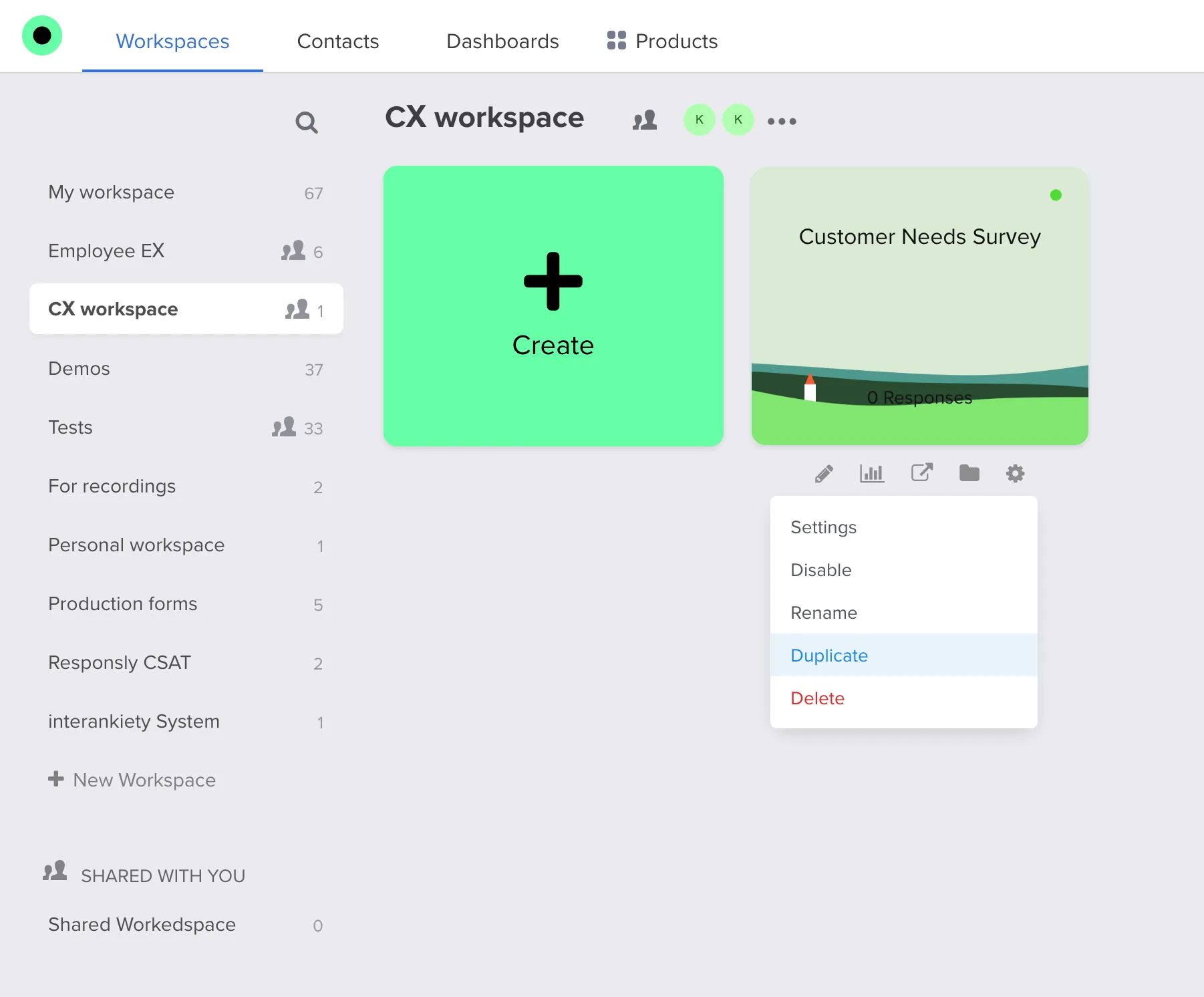
What is (and isn’t) copied
A duplicate is a fully independent survey:
- Copied: questions, answer options, survey logic, design/theme, and settings.
- Not copied: collected responses—the new form starts with a response count of zero, and editing or deleting the copy never affects the original.
Give the copy a clear new name right away so it doesn’t get confused with the source form on your dashboard.
Create folders to organize forms
Folders help you group related surveys so your dashboard stays easy to scan—especially if you run many forms at once.
- On your Dashboard, use the folder or new folder control (wording may vary slightly in the app).
- Name the folder after the client, department, campaign, or internal workflow it represents.
- Move forms into the folder using drag-and-drop or the menu on each form, depending on what your workspace shows.
On Business and Professional Enterprise plans, teams can share access to projects; folder and member permissions may work together. See Create teams and share projects for inviting collaborators.
If you are starting from scratch instead of copying, see How to create a survey. If you only need to reuse individual questions, use the Question Library instead of duplicating the whole form.


