
With e‑mail embedding, respondents can start answering your survey directly from the e‑mail: by clicking a button that opens the survey, or by answering the first question inside the message. This makes participation easier and can significantly increase completion rates.
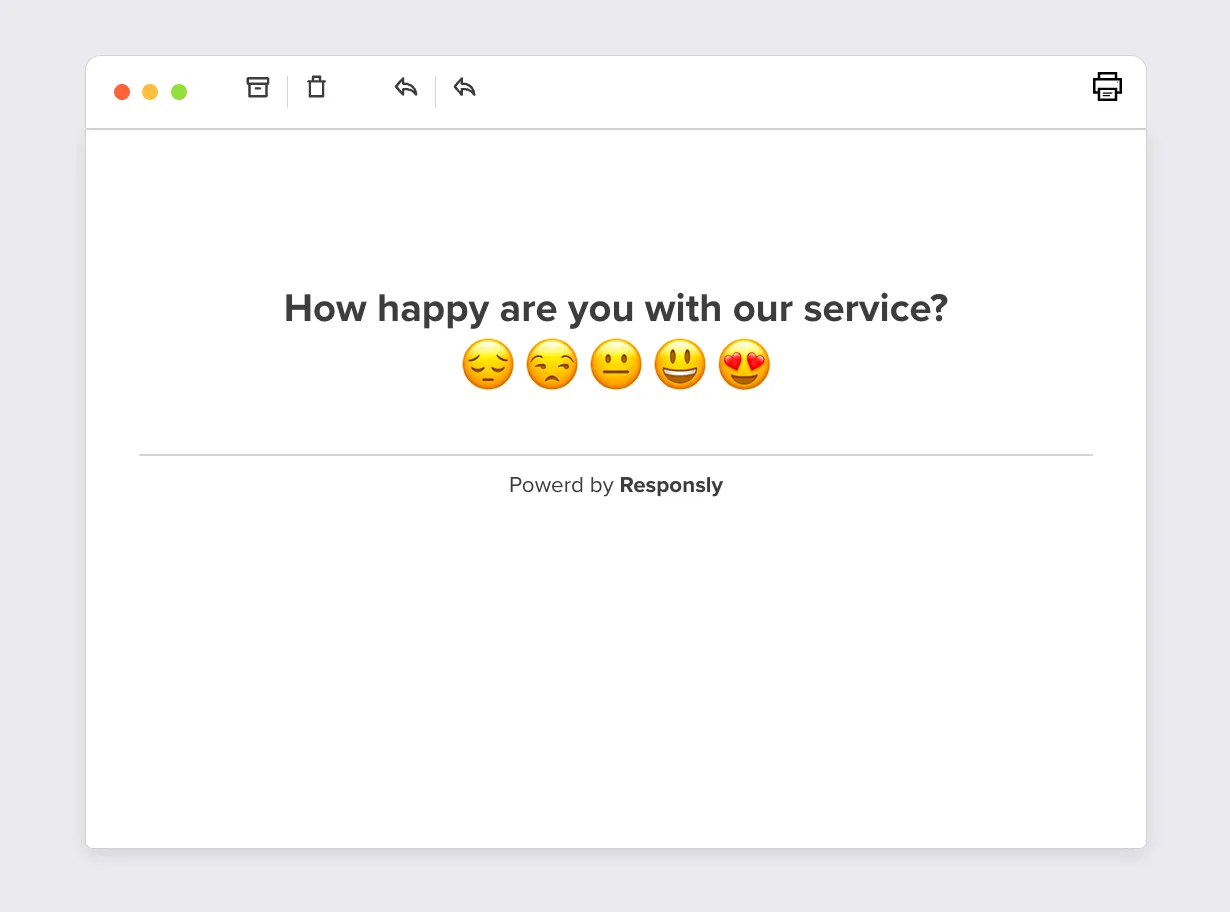
When someone answers an embedded question (for example, a Customer Experience question) in the e‑mail, a new browser tab opens with the full survey and their first answer already filled in.
How to embed a survey in e‑mail
Open the Share panel
Open your form and go to the Share panel. Click Share form in an e‑mail.Preview the e‑mail embed screen
You’ll see a configuration screen that shows how the survey will be embedded.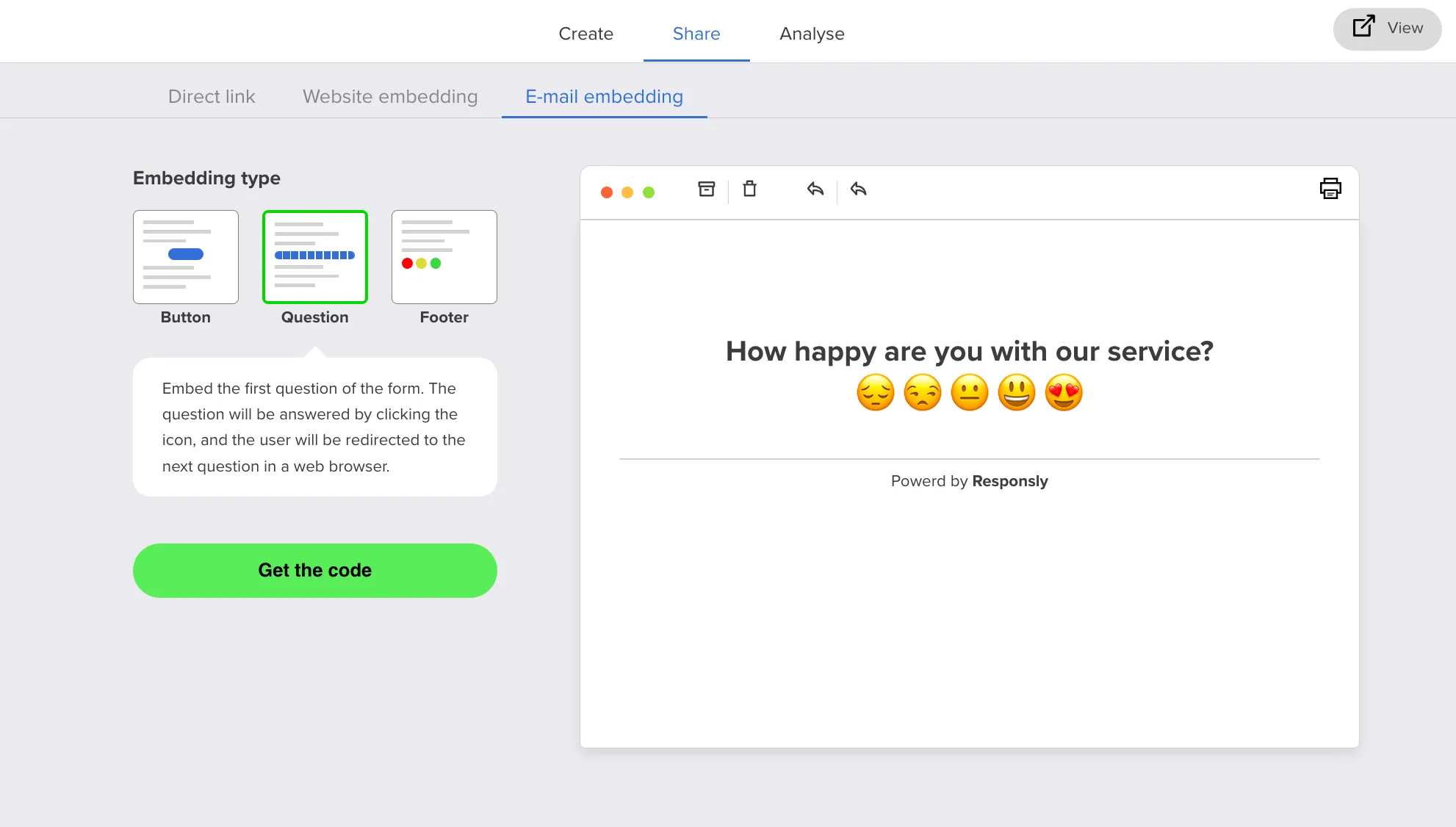
Check the first question type
If your survey’s first question is not one of the supported types, or if you have a Welcome screen, you’ll see a warning.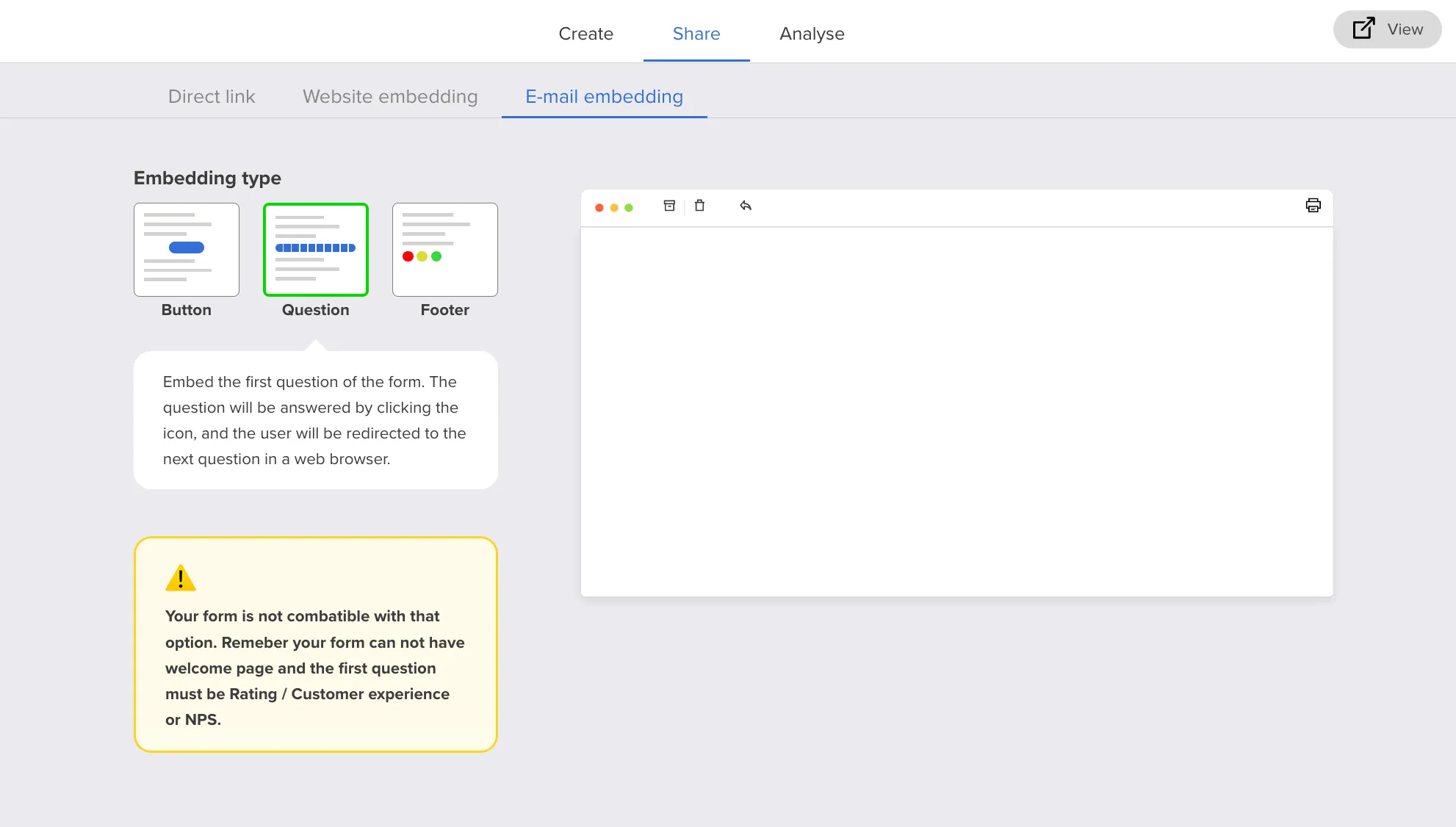
To fix this, click Go to create panel, add a supported first question and republish your survey. Then return to Share – the warning will disappear.
Choose embedding type
- Button – embeds a button in the e‑mail. After clicking, the survey opens in the browser.
- Question – embeds the first question of the form. The recipient answers by clicking directly in the e‑mail and is then redirected to the next question in the browser.
- Footer – embeds the first question in the e‑mail footer. This is great for measuring CSAT in ongoing e‑mail conversations.
Copy the embed code
Click Get the code on the right‑hand side – a popup will show the HTML code you need to paste into your e‑mail marketing tool.
Click Copy code – the code will be copied to your clipboard.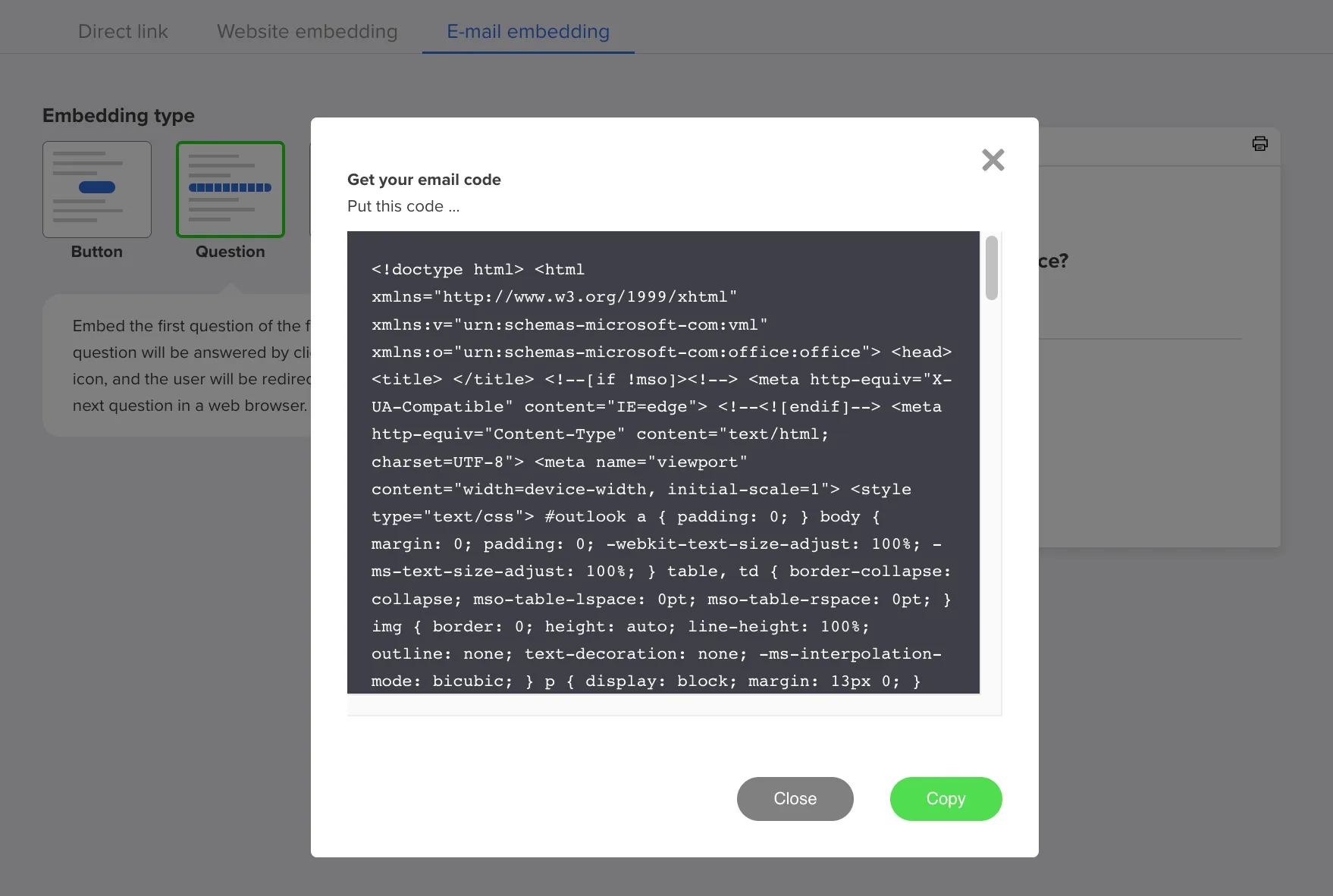
Paste into your e‑mail tool
Paste the copied code into your e‑mail marketing app (for example in your campaign editor or template) and send your message as usual.


