Responses collected on tablets are ordinary responses to your form. They appear in the form’s results with the responses from links, e-mails and your website, and count in the same summaries, filters and exports.
The time of a response
Each response keeps the time it was given at, also when the tablet sent it hours or days later. A response collected on Monday and sent on Wednesday is a Monday response in your results and charts.
Tell tablets apart
Give each tablet a value of a hidden field, for example location, and every response from that tablet carries it. See Tell your locations apart. The value works in filters and exports like any other hidden field.
Notifications, webhooks and integrations
A response from a tablet sets off the same things as any other response: e-mail notifications, webhooks, Zapier and your integrations. They run when the response reaches Responsly:
- While the tablet is online, that is a moment after the person finishes.
- After a time offline, the tablet sends everything it collected at once, and each of these responses sets off its own notification.
Tip: If a tablet often works offline and you get an e-mail for every response, expect them in batches. A webhook or an integration that needs the real time of the response should read it from the response, not from the moment the call arrives.
Response limits
A response limit holds for tablets as it does for the form’s link:
- the limit set on the form, which closes it after a number of responses,
- the responses left in your plan.
When a limit is reached, the form’s Kiosk tab says so, and tablets stop showing the form after their next contact with Responsly.
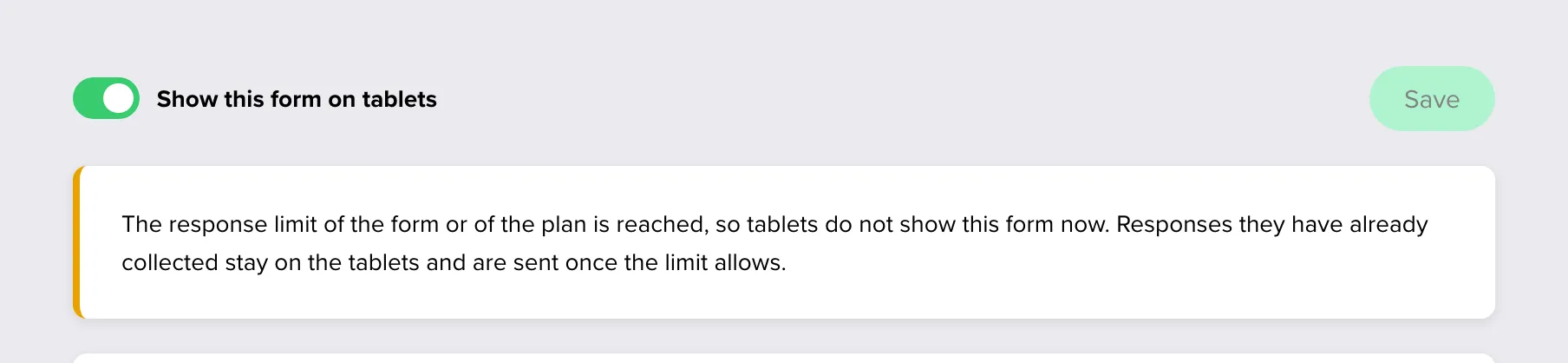
A tablet that was offline may have collected responses over the limit. They are not lost:
- They stay on the tablet. Its staff screen counts them as held back by the server, and the Team’s tablets list shows them under Unsent responses.
- The tablet sends them again with every sync.
- They are saved once the limit allows: after you raise the form’s limit, change your plan, or your plan’s responses renew. Each keeps the time it was given at.
Responses from tablets count in your plan like all others, at the moment they are saved.
When the form is switched off or closed
A form that is switched off or past its closing date stops being shown on a tablet after the tablet’s next contact with Responsly. Until then the tablet does not know, and people can still answer.
These responses are saved: what someone answered at the tablet before it learned of the change is not turned away.
To stop collecting on tablets only, turn off Show this form on tablets in the Kiosk tab. The form stays open for its other channels.
Deleting a tablet’s responses
Responses from tablets are deleted like any others, in the form’s results. Disconnecting a tablet does not delete the responses it has sent.