
Running a multilingual form is one of the fastest ways to improve completion rates across regions—without maintaining separate surveys. In Responsly, form translations localize what respondents see (questions, choices, and system messages), while your default language stays the baseline when no better match exists.
This guide explains how translations work, how automatic browser language selection chooses a language on first visit, and how URL-based language keeps campaigns predictable. It also clarifies what this is not: translating open-ended responses after submission is a separate workflow.
Who is this for?
Form builders who want:
- one published form with multiple on-screen languages,
- a sensible first visit experience for international traffic,
- clear rules for manual language switching and shared links.
If you do not see translations or language options in your workspace, availability may depend on your plan—contact Responsly support to confirm.
Form translations vs default language
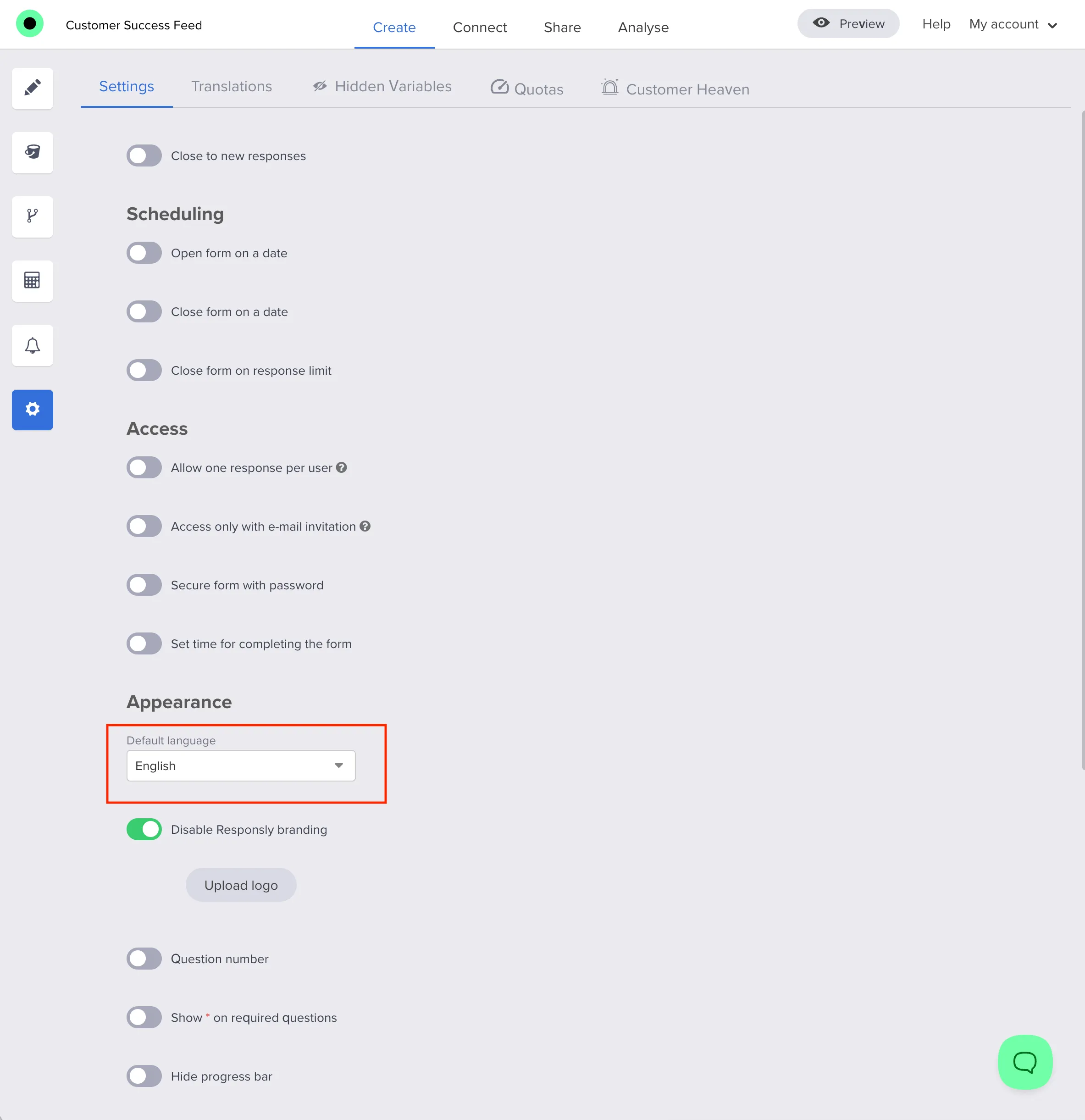
Default language is the primary language of your form in settings. It defines the baseline copy in the editor and what respondents see when no translation applies.
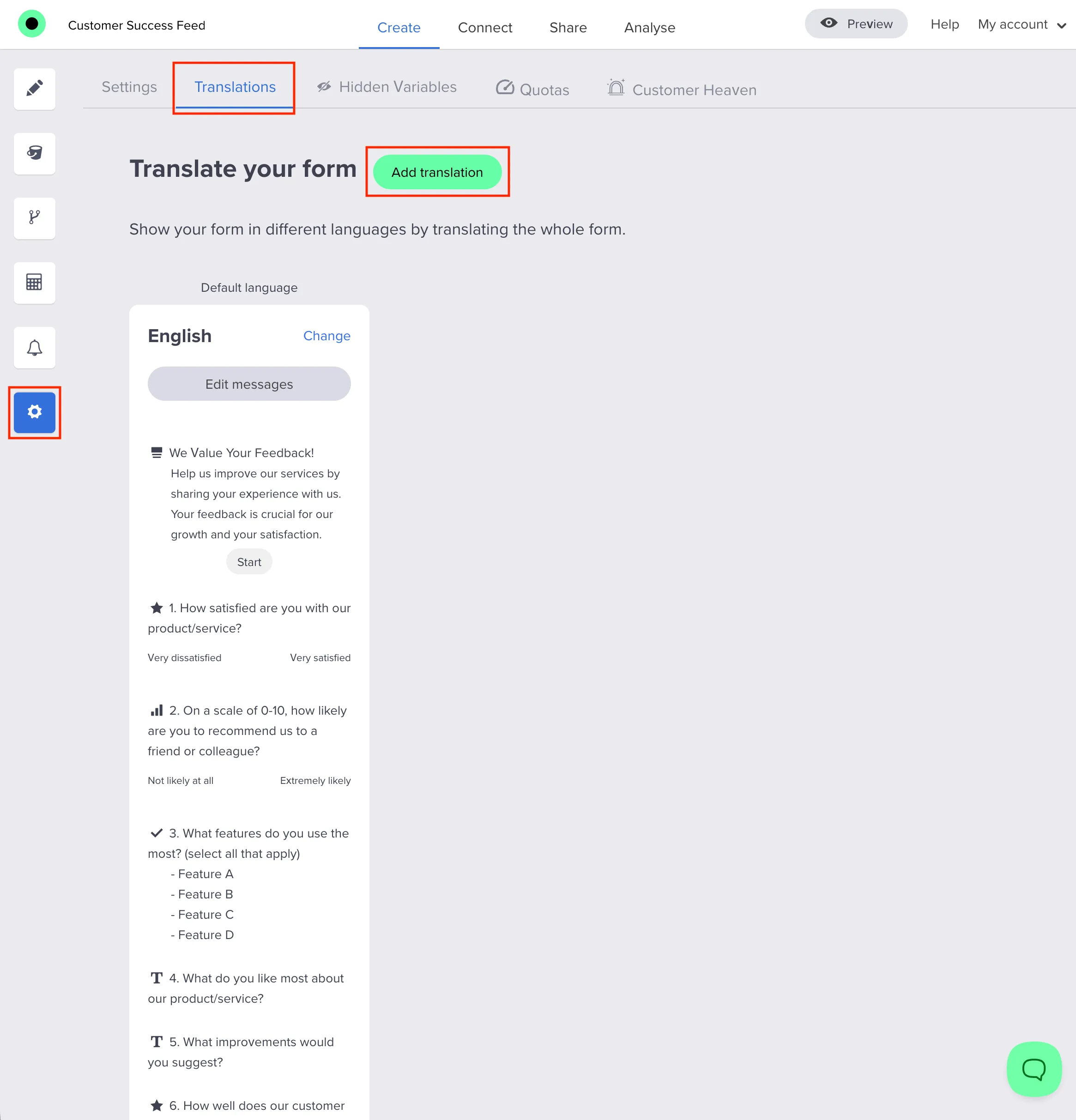
Translations add additional languages on top of that baseline. When a translation exists for a string you localized, respondents can experience the form in that language.
Why this matters for SEO and support clarity: readers search for both “default language” and “translations” as separate concepts—treating them distinctly reduces confusion and fewer misconfigured forms.
Automatic browser language selection (first visit)
When someone opens a supported public form without a language fixed in the URL, Responsly can:
- Read the browser’s preferred languages (for example regional tags like
de-DE). - Match them against your published translations (including sensible matching such as regional tags mapping to a base language code when that is how translations are stored).
- If a match exists and it is not already your default, open the form in the matched translation.
- If no match exists, keep the form in your default language.
This reduces friction for international respondents who would otherwise hunt for a language menu first.
URL language beats automatic matching
If you share a link that includes a language parameter on supported public URLs, treat it as an explicit choice.
Practical priority:
- Language in the URL (when present)
- Automatic browser matching (only when the URL does not specify language)
- Default language (fallback)
That priority is important for email campaigns, QR codes, and embeds: you can force a consistent language for every click.
Manual selection from the language menu
When your public experience shows a language selector, respondents can still switch languages where the UI allows it. After a change, the public form should reload or refetch so the on-screen definition matches the selected language—avoiding a mismatch between the menu and the question text.
Not the same thing: translating open-ended responses
If your goal is to read multilingual free text in one language after submission, that is separate from on-screen translations.
| On-screen translations + auto language | Customer Heaven response translation | |
|---|---|---|
| Audience | Respondents | Your team in Analysis |
| What changes | Form UI and question wording | Open text answers can be shown in a destination language |
| When | While the form is displayed | After submission (background processing) |
For response translation details, read Auto-translate survey responses (open text, exports, and FAQs).
A simple go-live checklist
- Set a clear default language in form settings.
- Add translations for each language you want respondents to see.
- Test three entry paths:
- first visit without
langin the URL (automatic matching), - visit with
langin the URL (explicit), - manual switching via the language selector.
- first visit without
- Decide separately whether you need Customer Heaven response translation for open-ended analysis.
Takeaway
Multilingual forms succeed when defaults, translations, and language selection rules are easy to explain to teammates and respondents. With browser language detection plus a strict rule for URL language priority, you get a smoother first visit without sacrificing control for marketing links.


