
How many questionnaires can be completed on your workspace depends on the account type you purchased. The fill limit applies per billing period—from purchase (or renewal) through the end of that period (30 days in the standard description here). If you renew more frequently, the limit resets after each billing period.
Monitor usage
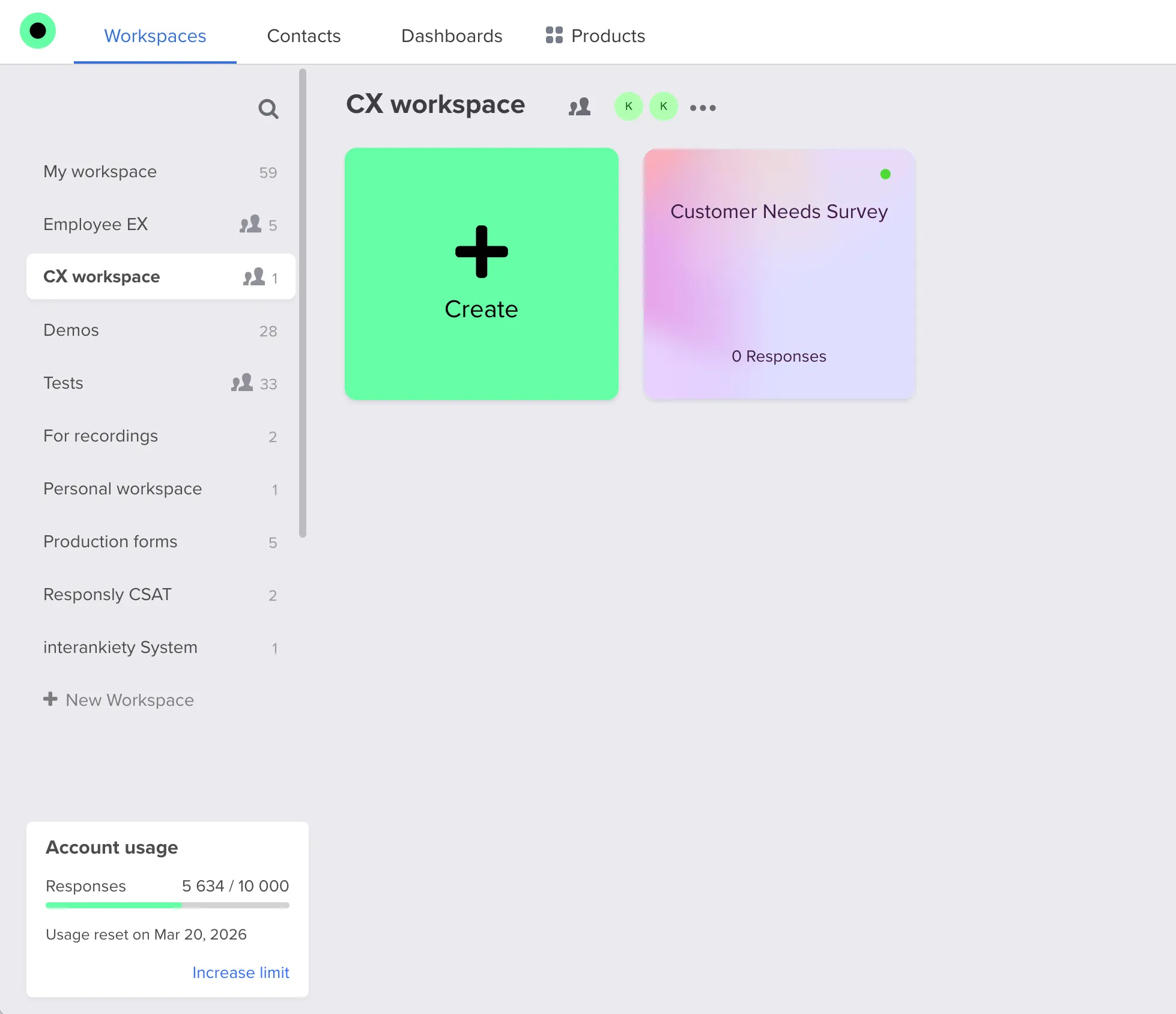
In the lower-left corner of your account you can track how many survey responses you have collected against your current allowance:
Per-survey caps on individual answer options (for example event slots) are a different feature—see Survey quota limits. For billing changes, see How do I change my billing information?.
FAQ
What counts toward my Responsly response limit?
Your plan includes a maximum number of survey completions (filled questionnaires) per billing cycle. The exact cap depends on the account type you purchased.
How long is a billing period for response limits?
Limits are tied to a billing period—typically counted as 30 days from purchase or renewal. If you renew more often, the allowance resets after each billing period as described in your plan.
Where can I see how many responses I have used?
Check the lower-left area of your Responsly account for the indicator that shows how many survey responses you have collected in the current period.



