
If you want respondents to choose which set of questions they answer, use skip logic so only relevant blocks appear. Transition rules let you:
- show only questions that apply to the person filling out the form,
- make quizzes more dynamic and engaging,
- build simple “pick your topics” or cart-style flows.

The walkthrough below uses a vegetable multi-select: ratings appear only for items chosen in question 1. For other branching patterns, see Create the logic in the survey.
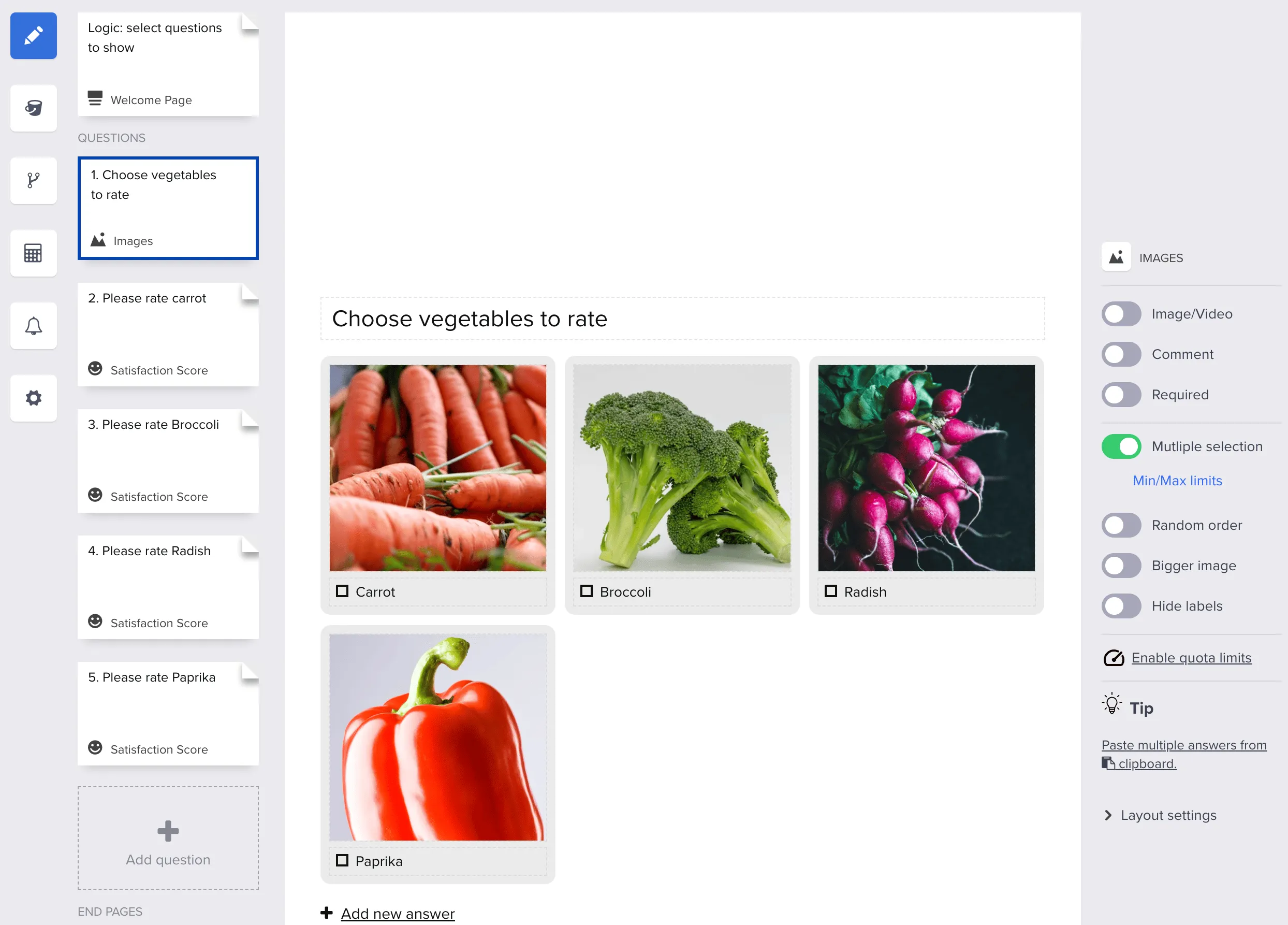
In this example, the first question lets the respondent select which vegetables they want to rate.
The first question in the form is a multiple-choice selection of vegetables:
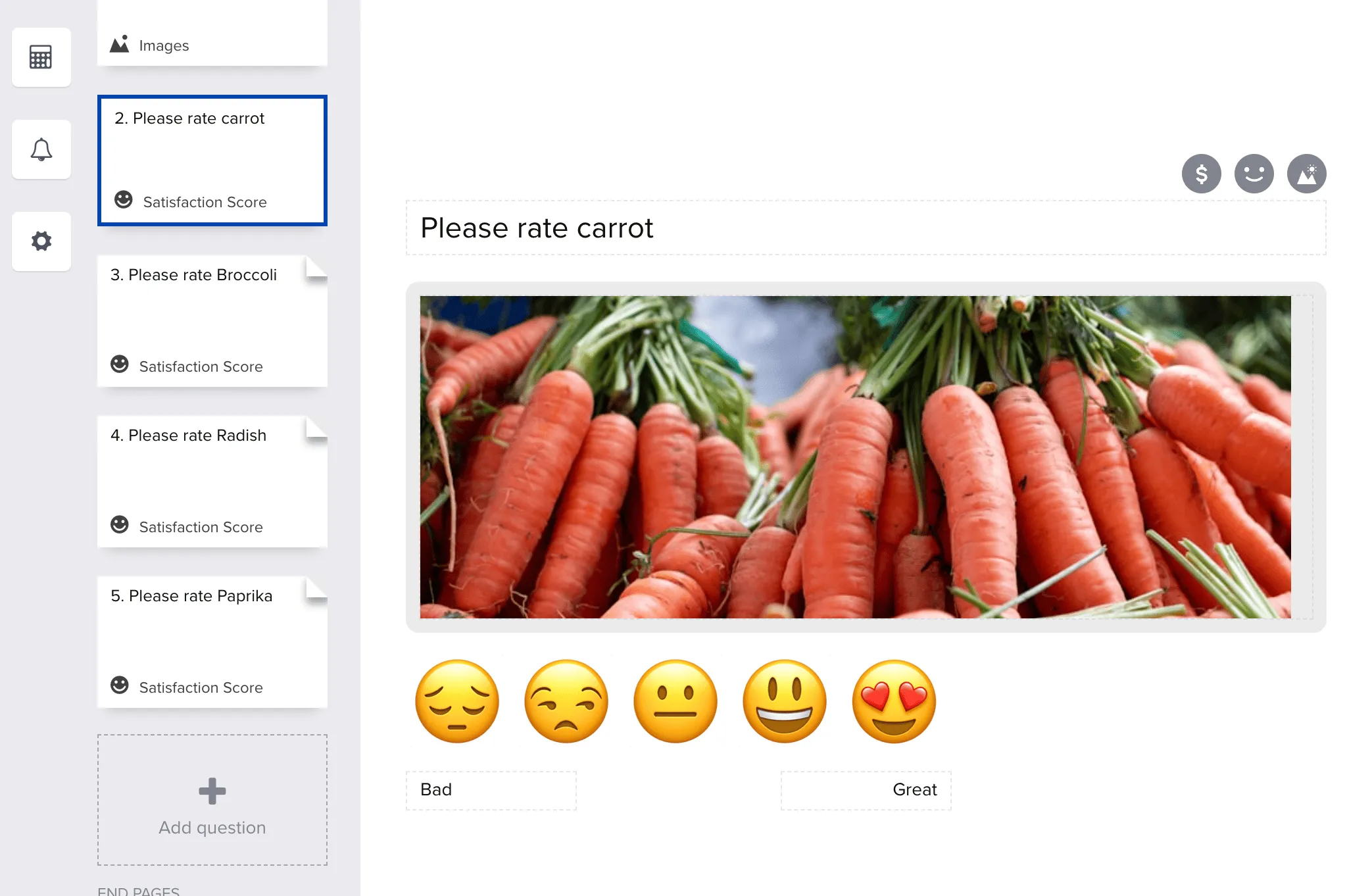
The next four questions are rating questions that will be shown depending on what was selected in Question 1:
Step 1 – Add logic rules to the first question
In the first question, add four logic rules – one per vegetable:
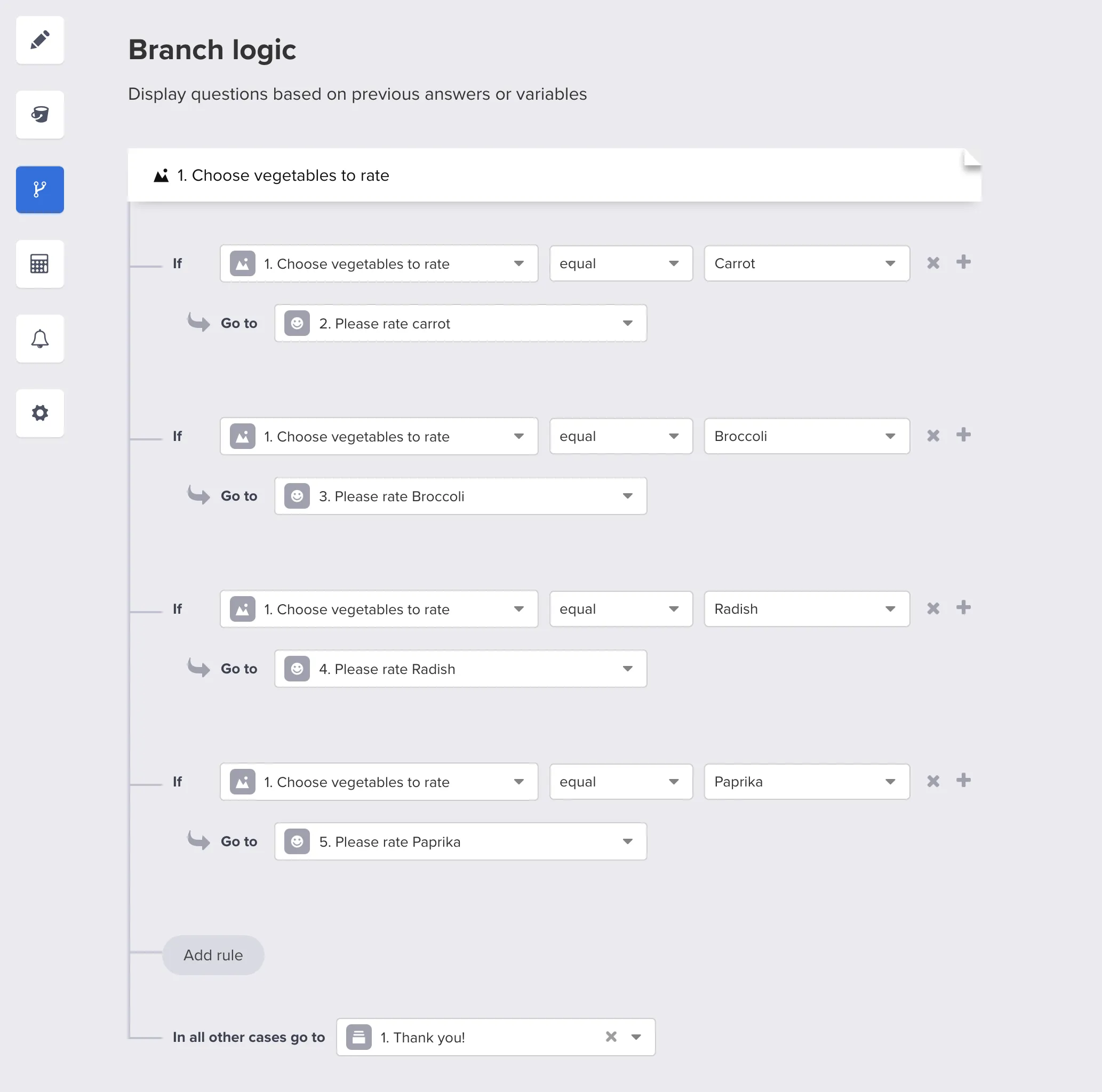
Remember to add a final condition:
“In all other cases, go to: ending page.”
Step 2 – Add logic to each rating question
In the first rating question, add three logic rules for the remaining vegetables:
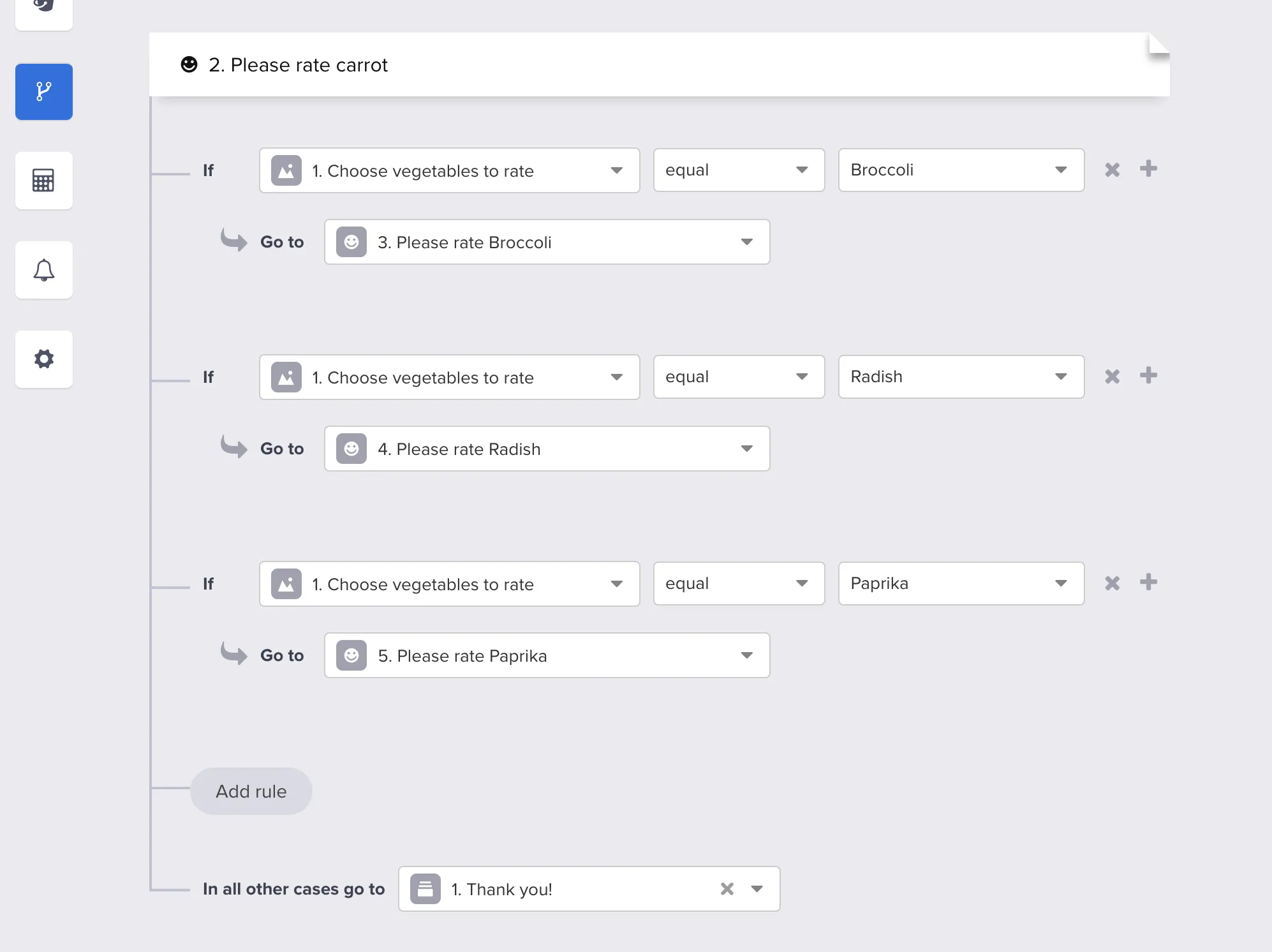
Repeat the same pattern for the next rating question:
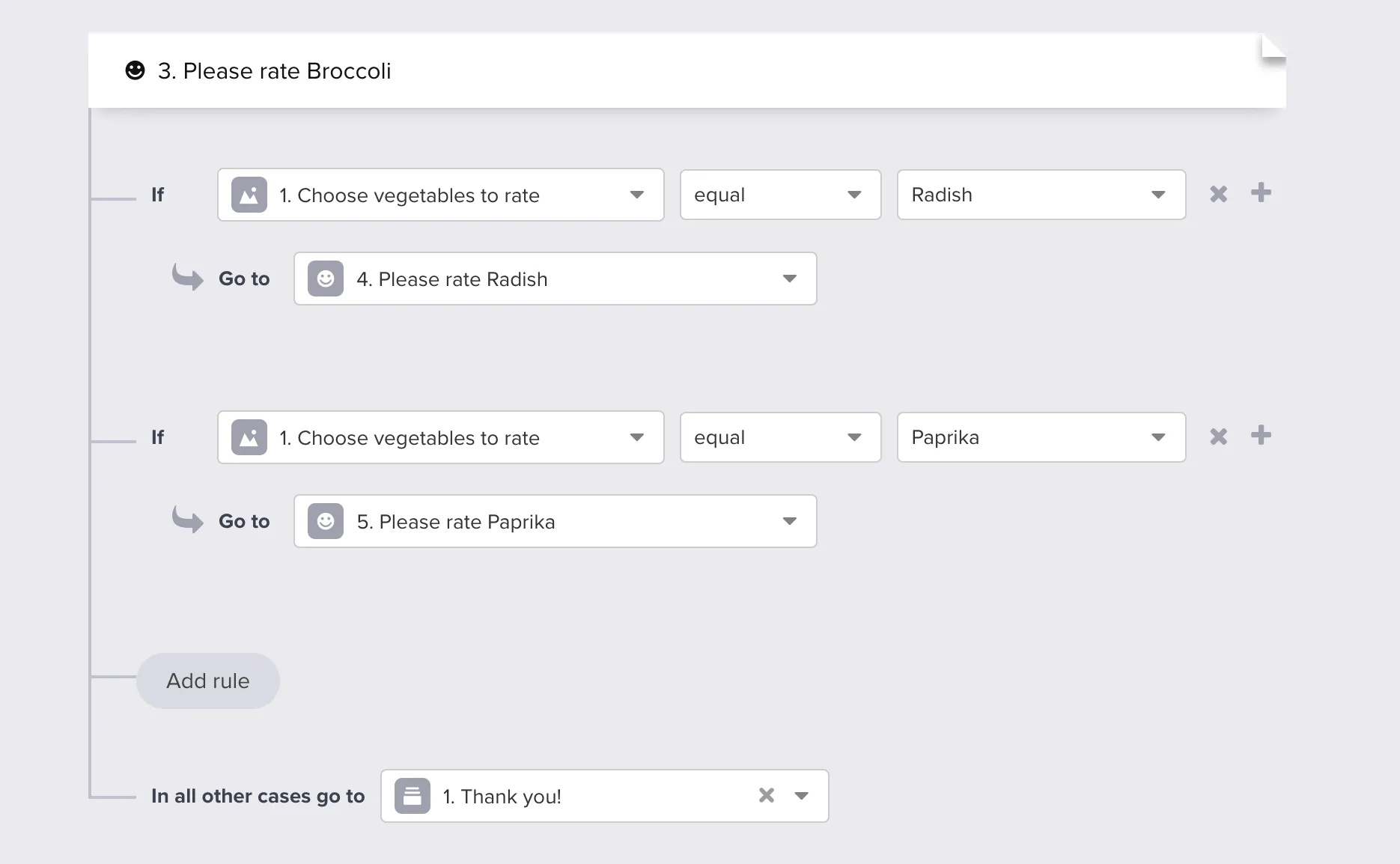
And again for the last rating question – here the number of rules is smaller:
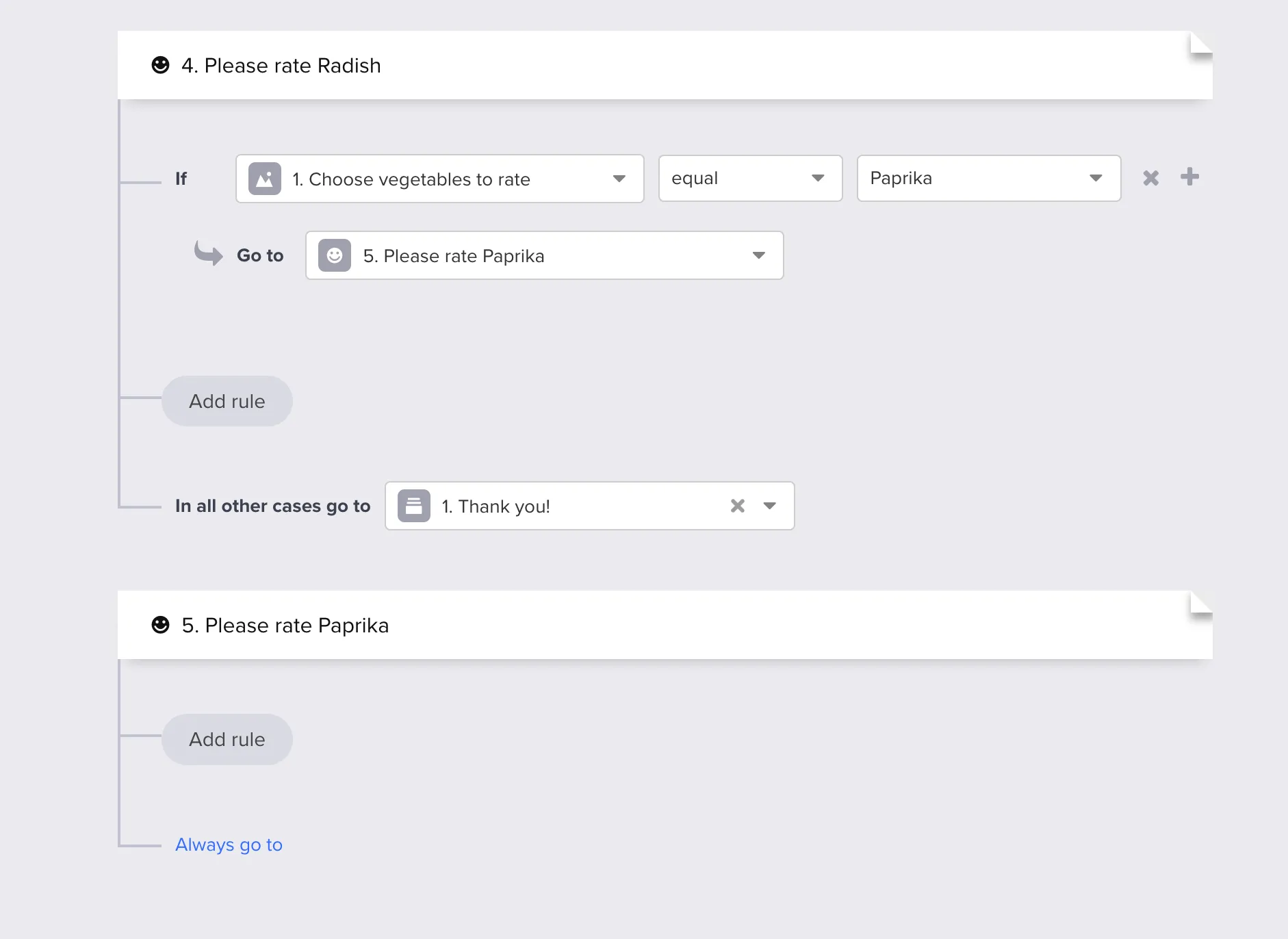
Note: the number of logic rules decreases with each subsequent question, because fewer paths remain.
For the final rating question you can usually skip adding any further rules, because there’s nowhere else to branch to.
That’s it – with this setup, the respondent only sees rating questions that match the items selected in the first question.
Combine with required questions only on blocks that must be answered when shown, and consider random order if option order bias matters on the first picker.


