
When you distribute a survey on your own website, exit intent helps you catch visitors right as they appear to leave—for example when they move the mouse toward the top of the browser window (toward the tab bar or away from your content). In Responsly this option is labeled On exit intent in the website widget embed builder.
This guide explains where to enable it, how it behaves on desktop vs mobile, how to test, and how it differs from the leave-site confirmation people sometimes see on a standalone form link.
Who this is for
You need:
- A Responsly form you can edit.
- Permission to add JavaScript to your site (typically before
</body>). - The Widget flow for classic embed—not only the Standard tab that outputs a plain iframe or link without the widget’s Advanced auto-open options.
Exit intent is a distribution choice for on-site feedback, not a replacement for email invitations or shareable links by themselves.
Turn on “On exit intent” for the website widget
Follow these steps in the Responsly app:
- Open the form you want to show on your site.
- Go to Share (or your workspace flow for website / embed).
- Open the Classic embed / widget configuration screen—the builder where you choose ribbon, circle, button, window type (popup, slider, and so on).
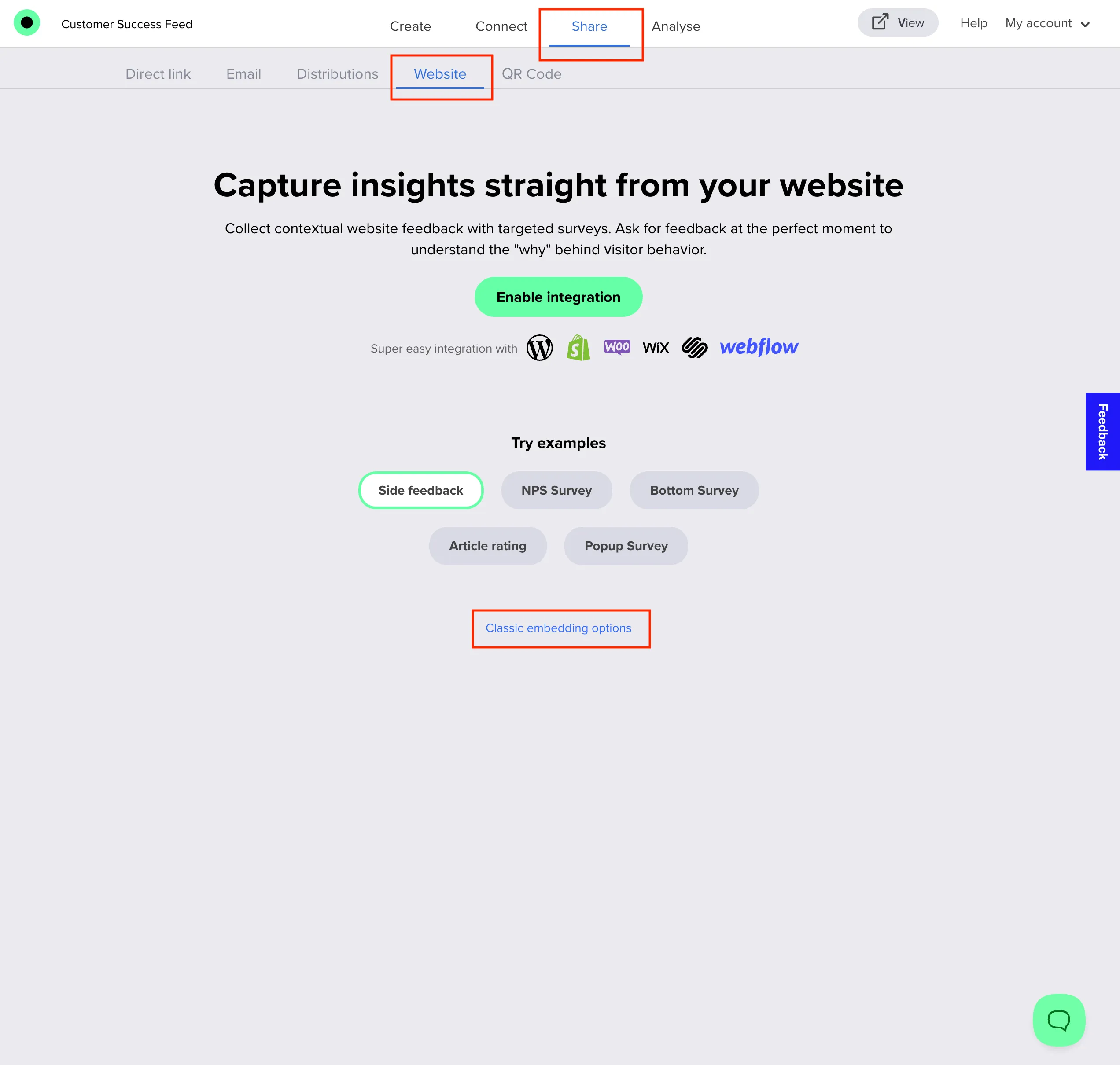
- Configure trigger and window appearance as usual.
- Expand Advanced.
- Turn on Open automatically.
- In the dropdown, choose On exit intent.
- Optionally adjust Close after fill if you want the widget to collapse after submission after a number of seconds.
- Click Get code, copy the snippet, and paste it on every page (or template) where the behavior should run—before
</body>is the usual placement.
The generated embed includes the exit-init="true" attribute on the <responsly-widget> element, which enables exit-intent listening on supported desktop browsers.
How exit intent behaves
On desktop, Responsly listens for pointer movement that suggests the visitor is leaving the viewport upward (classic exit-intent detection). When that happens and the widget is not already open, the widget launches using your chosen window style.
Important nuances:
- Touch devices: Without a mouse path to track, the same exit-intent gesture does not fire in the standard configuration. Advanced mobile-oriented attributes exist in the runtime widget; they are not exposed in every UI path of the code generator—ask support if you need a mobile timed fallback added to your snippet.
- Browsers evolve: Future browser changes can affect pointer events or timing. Always verify on current Chrome, Safari, Edge, or Firefox versions your audience uses.
- Already answered or dismissed: If you use options that hide the widget after answer or dismiss (cookie-based), exit intent respects those states and will not keep harassing the same visitor according to your rules.
Other Advanced triggers (pick one auto-open mode)
In the same Advanced area you can choose On page load, After some seconds, After scrolling, On specific URL, or Once per period. For predictable UX, treat these as alternatives to exit intent rather than stacking conflicting automatic opens in one snippet.
Close after fill is independent: it controls optional auto-close timing after submit, not when the widget first appears.
Verify on your live site
- Deploy the snippet to a staging or production URL you control.
- Use desktop with a mouse.
- Load the page, wait for it to settle, then move the cursor straight up past the top edge of the page content as if leaving.
- Confirm the Responsly widget opens once per your expectations.
If testing only inside Responsly’s iframe preview, exit intent may not reproduce reliably—prefer a real page on your domain.
Troubleshooting
| Issue | What to check |
|---|---|
| Nothing happens on mobile | Exit intent is mouse-based; plan a different trigger or ask support about mobile-specific embed attributes. |
| Nothing happens on desktop | Confirm exit-init="true" is present, no ad/script blockers are blocking the widget script, and the visitor has not already triggered answered/dismissed hiding rules. |
| Widget already open | Exit intent only auto-opens when the widget is closed; if it is visible, another interaction opened it first. |
| Fires when I did not mean to leave | Moving quickly toward the top edge can trigger intent—adjust survey copy so the prompt feels helpful, not nagging. |
Not the same as “leave site?” on the form link itself
If someone opens your survey as a standalone Responsly URL (not embedded in your widget) and closes or navigates away before finishing, their browser may show a generic leave confirmation. That path uses the form page’s own beforeunload handling to reduce accidental abandon—it is not the marketing-style exit-intent widget described in this article.
Use exit intent when you want a timed prompt on your website; use the direct link when you want a full-page survey experience without embedding JavaScript.
Related workflows
Pair onsite prompts with a clear survey introduction so visitors know why you are asking. Publish changes with How to create a survey, then review submissions and exports using How do I export survey data?.


