Table of contents
- What is a Customer Journey Map?
- Why is a Customer Journey Map Important?
- Types of Customer Journey Maps
- Key Benefits of Customer Journey Mapping
- Steps to Create an Effective Customer Journey Map
- Tools for Customer Journey Mapping
- How Responsly Helps Map the Journey
- Real-World Examples of Customer Journey Maps
- Conclusion
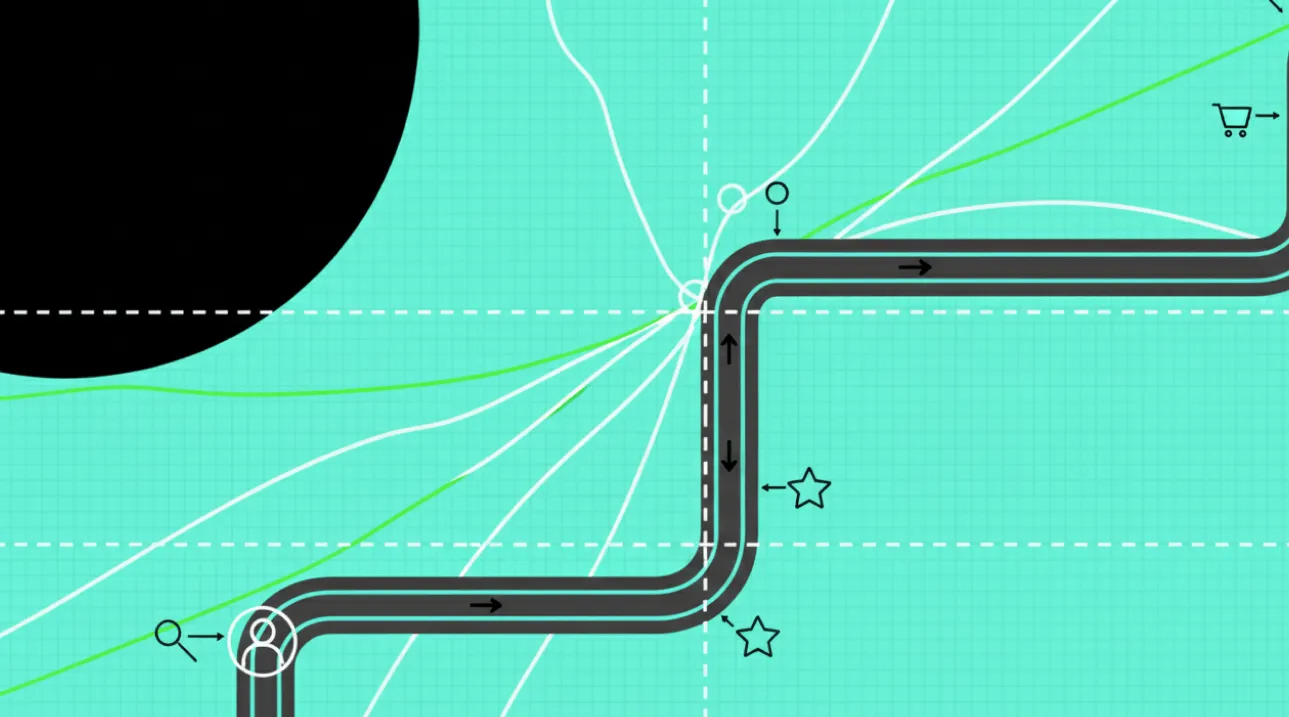
A customer journey map is a visual representation of every interaction a customer has with your brand—from first awareness to post-purchase support—showing the steps, emotions, and pain points along the way. This guide is for CX leaders, marketers, and product teams who want to turn scattered touchpoints into one clear picture they can act on. You’ll learn what a customer journey map is, the main types (with a quick comparison table), the concrete benefits, a step-by-step process to build one, and how to gather the feedback that keeps it grounded in reality rather than assumptions—so you can improve customer experience, retention, and growth.
What is a Customer Journey Map?
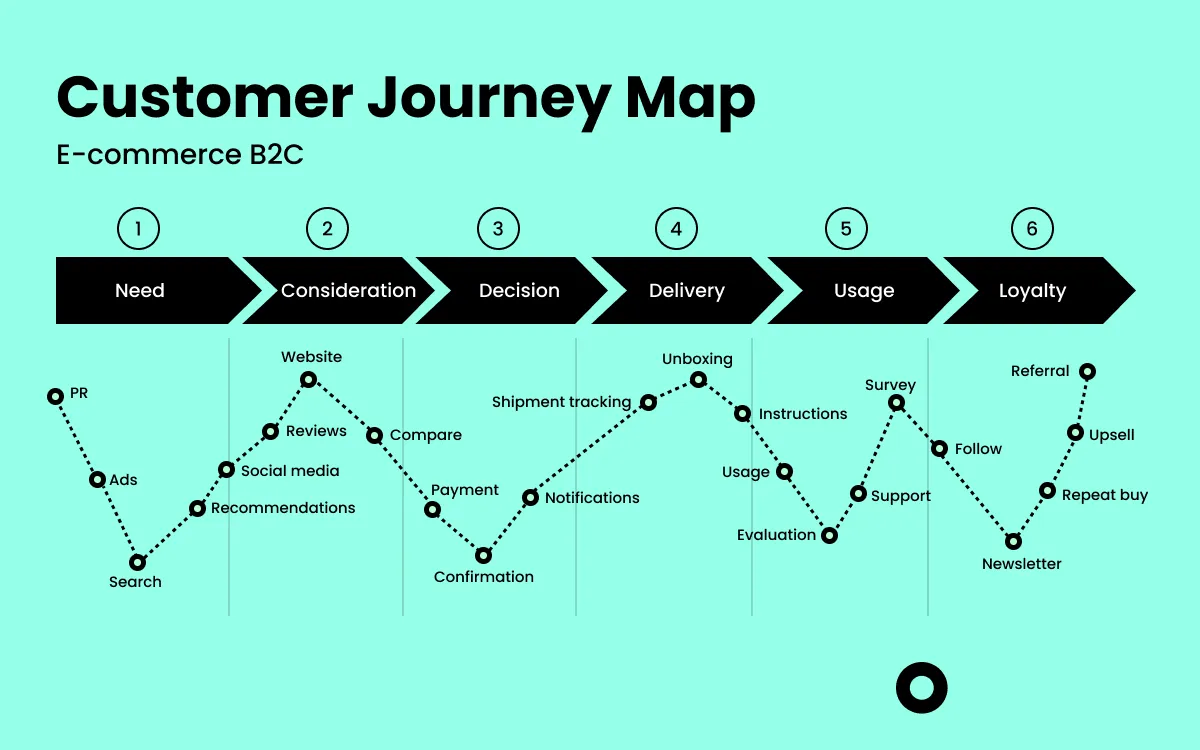
A customer journey map is a visual representation of every interaction a customer has with your brand, from the initial point of contact to post-purchase support. It outlines the steps, emotions, and experiences customers go through when engaging with your business. By understanding these touchpoints, companies can optimize their processes, improve customer experience, and increase loyalty.
Creating a journey map helps businesses identify pain points, enhance customer satisfaction, and streamline their services for a seamless experience.
Why is a Customer Journey Map Important?
1. Improved Customer Experience
Mapping out the customer journey helps businesses understand and address pain points, leading to a more satisfying customer experience. Companies that focus on digital customer experience see higher retention rates. A positive experience not only retains customers but also generates positive word-of-mouth marketing.
2. Better Customer Retention
Businesses can enhance their customer retention rate by identifying critical touchpoints and reducing churn. Understanding the pain points and addressing them promptly ensures customers remain satisfied and continue their relationship with your brand.
3. Enhanced Marketing Strategies
Customer journey maps allow marketers to tailor their campaigns to specific stages of the customer journey, resulting in more effective outreach and higher conversions—see how marketing teams turn journey feedback into sharper campaigns. Personalized marketing leads to better engagement and customer satisfaction.
4. Increased Operational Efficiency
Understanding the customer journey highlights inefficiencies within business processes, enabling companies to improve their operations and provide better service. This streamlined approach reduces costs and improves overall productivity.
Types of Customer Journey Maps
There is no single “right” map—the type you choose depends on the decision you’re trying to make. Use this table to pick the right one, then see the details below.
| Map type | Best for | What it shows | When to use it |
|---|---|---|---|
| Current state | Fixing today’s experience | How customers interact with you right now, with real pain points | Diagnosing friction and quick wins |
| Future state | Planning the ideal experience | The journey you want to deliver | Strategic planning and roadmapping |
| Day-in-the-life | Understanding context | A customer’s broader routine, in and out of your product | Discovering new needs and opportunities |
| Service blueprint | Aligning teams and systems | Backstage processes, technology, and roles behind each touchpoint | Coordinating operations with the experience |
1. Current State Journey Map
This map outlines the existing customer journey, highlighting current pain points and areas for improvement. It helps businesses understand how customers are interacting with their services right now.
2. Future State Journey Map
A forward-looking map that envisions the ideal customer journey, helping businesses set clear goals for enhancing client experience. This map serves as a guide for strategic planning.
3. Day-in-the-Life Journey Map
This map captures a customer’s daily experiences, both related and unrelated to your business, providing broader context for their needs and behaviors. Understanding customers’ daily routines helps identify new engagement opportunities.
4. Service Blueprint
A detailed map that includes behind-the-scenes processes, technology, and resources that support the customer journey. It is particularly useful for aligning internal processes with customer needs.
Key Benefits of Customer Journey Mapping
1. Enhanced Customer Insights
A customer journey map provides deep insights into customer needs, preferences, and behaviors, helping businesses make data-driven decisions. It also helps in predicting future trends and preparing for evolving customer demands.
2. Better Customer Engagement
Understanding customer emotions and expectations at each touchpoint allows for more personalized and engaging interactions. This engagement often translates into higher satisfaction and loyalty.
3. Increased Customer Loyalty
By improving customer service metrics, businesses can foster stronger relationships and boost loyalty. Loyal customers tend to spend more and act as brand advocates.
4. Optimized Customer Touchpoints
Journey mapping helps identify and refine key touchpoints, ensuring a seamless experience across all channels. Consistent and smooth interactions create a positive impression.
5. Improved Cross-Department Collaboration
A well-defined client journey map encourages collaboration between departments, aligning teams towards common customer-centric goals. When teams have a unified understanding of the customer journey, they work more efficiently.
6. Higher ROI on Marketing Efforts
With clear insights into the customer journey, marketing campaigns become more targeted, leading to higher returns on investment. Companies can allocate resources to the most effective touchpoints.
Steps to Create an Effective Customer Journey Map
Step 1: Define Your Objectives
Identify what you aim to achieve with your client journey map, such as improving customer effort score or enhancing service quality. Clear objectives guide the entire mapping process.
Step 2: Create User Personas
Develop detailed user personas representing different segments of your customer base using customer behavior analysis. Personas help personalize customer interactions.
Step 3: Identify Touchpoints
List all the points where customers interact with your brand, from initial contact to post-purchase support. Mapping these interactions provides a comprehensive view of the customer experience.
Step 4: Gather Customer Feedback
Collect insights through customer satisfaction surveys and closed-loop feedback mechanisms. Direct feedback helps in understanding customer expectations.
Step 5: Map the Journey
Visualize the customer journey, including emotions, challenges, and key moments at each stage. A clear visual map helps teams quickly grasp the customer perspective.
Step 6: Analyze and Optimize
Identify pain points, gaps, and opportunities to enhance the customer journey using tools like conversation intelligence. Continual optimization ensures the journey remains relevant.
Tools for Customer Journey Mapping
- Survey Tools: Use microsurveys and popup surveys for real-time feedback.
- Analytics Platforms: Track customer behavior across channels to gain insights into interactions.
- Collaboration Tools: Align teams and streamline journey mapping processes by ensuring everyone has access to the same data.
How Responsly Helps Map the Journey
Responsly is the ideal partner for gathering the data needed to build accurate customer journey maps. By listening to your customers at every touchpoint, you can replace assumptions with real insights.
- Touchpoint Feedback: Deploy website surveys and in-app polls to capture sentiment in real-time.
- Omnichannel Collection: Gather data via email, SMS, and WhatsApp to cover the entire journey.
- Visual Analytics: Use our dashboards to visualize trends and identify drop-off points in the customer experience.
Real-World Examples of Customer Journey Maps
1. E-commerce Platforms
Optimizing product recommendations and checkout processes based on journey mapping insights. Personalized offers and streamlined payment processes increase sales.
2. SaaS Companies
Enhancing customer onboarding and support services through journey analysis. A smooth onboarding experience leads to higher user retention.
3. Retail Brands
Improving in-store and online shopping experiences by mapping the entire customer journey. Understanding how customers move between digital and physical stores can enhance convenience.
Conclusion
A well-designed customer journey map is essential for understanding and improving the customer experience. By leveraging journey mapping, businesses can enhance customer satisfaction, boost retention, and drive growth.
Explore more about enhancing customer experience with our ultimate guide to customer retention and customer care best practices.
FAQ
What are the 5 stages of a customer journey map?
What is the difference between a customer journey map and a service blueprint?
What tools can I use for customer journey mapping?
How often should I update my customer journey map?
Last updated