
Employee Satisfaction Survey Template
Automate HR processes with Office Harmony
Book a demoUse this Employee Satisfaction Survey Template when you need a reliable snapshot of how employees feel about their day-to-day work experience.
It is designed for People Ops, HRBPs, and team leads who want to spot friction early and run a consistent improvement cycle.
What this template should measure
Focus on practical satisfaction drivers:
- Role clarity: expectations and priorities are clear.
- Manager support: coaching quality and blocker removal.
- Workload balance: pace is sustainable.
- Growth opportunities: employees can learn and advance.
- Team environment: collaboration and respect.
- Overall experience: confidence in staying and performing.
Recommended question set
Use a 1 to 5 scale from Strongly disagree to Strongly agree:
- I clearly understand what is expected in my role.
- My workload is manageable on a regular basis.
- I receive the support I need from my manager.
- I have the tools and resources needed to do my job well.
- I feel respected by people I work with.
- I have opportunities to grow in my role.
- Communication in my team is effective.
- I feel fairly recognized for my work.
- I am satisfied with my overall work experience here.
- I can see myself working here in 12 months.
Open-ended prompt:
What is one change that would most improve your satisfaction at work this quarter?
Cadence and rollout
Recommended cycle:
- Launch survey for 5 to 7 days.
- Analyze score trends and comments within 3 business days after close.
- Share findings within 7 days.
- Publish prioritized actions within 14 days.
- Start implementation within 30 days.
Scoring and interpretation
Create an Employee Satisfaction Index as the average of questions 1 to 10.
Use these practical thresholds:
- 4.2 to 5.0: strong satisfaction, maintain and scale strengths.
- 3.6 to 4.1: stable but improvable, focus on weaker dimensions.
- 3.0 to 3.5: at-risk, prioritize manager and workload interventions.
- below 3.0: critical, immediate action and leadership support needed.
Always segment by:
- team or department,
- tenure band,
- role level,
- location/work model.
30-60-90 day action framework
By Day 30
- Share top themes and score baseline.
- Assign owners for top 3 friction points.
- Launch one quick operational fix.
By Day 60
- Run manager coaching on low-scoring dimensions.
- Adjust team processes causing recurring dissatisfaction.
- Publish progress update to employees.
By Day 90
- Re-run a short pulse using core questions.
- Compare trend deltas by team and segment.
- Continue, adjust, or replace interventions based on measurable impact.
Common mistakes to avoid
- Asking broad questions without action intent.
- Changing scale wording between rounds.
- Ignoring team-level variation hidden by global averages.
- Delaying communication of outcomes.
- Running surveys without a named owner for each action.
Helpful resources
Use random order settings, matrix question design, and website embedding to operationalize your survey flow.
For deeper context, review employee engagement survey and measure and improve employee satisfaction.
How often should we run employee satisfaction surveys?
Should the survey be anonymous?
How many questions should we include?
What response rate should we target?
How is satisfaction different from engagement?
When should managers receive results?
How quickly should actions start after results?
What should we communicate back to employees?
Examples of Employee Satisfaction Survey Template questions
Here are examples of questions most commonly used in Employee Satisfaction Survey Template. When using our template, you can edit and adjust all the questions.
What department do you work in?
What position do you occupy?
How many years have you worked in the company?
We really care about honest answers to the next questions
Remember that the survey is completely anonymous
Do you think your work in our company matters?
Is your job demanding?
Do you think your responsibilities are clearly defined?
How often do you experience stressful work situations?
Thanks, now we want to know your opinion on communication within the company
How is information and knowledge shared in the company?
Is your opinion taken into account?
Do you get useful support from your colleagues?
Thanks, now a few questions about your personal development
Does your supervisor show interest in your professional development?
When you make a mistake, do you feel your supervisor's support?
Do you think that we offer the right development support in the company?
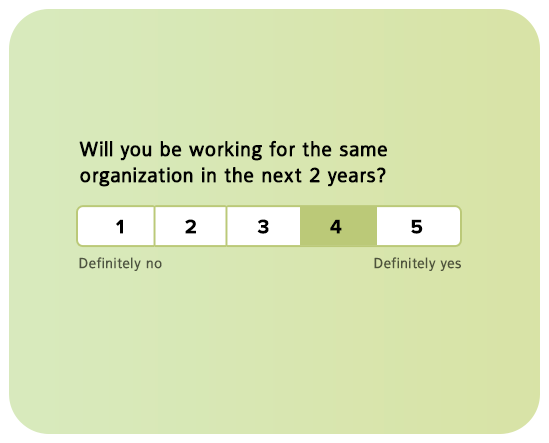
Will you work in our company for the next 2 years?
Thanks, now a few questions about the direction of the company's development
Already near the end of the survey
Do you know our company's mission?
Can you describe our company's mission in a few words?
Is your work related to the mission of our company?
Do you think the company is going in the right direction?
We count on your sincere opinion
Thanks, that's the last straight, now let's talk about your salary and rewards
Do you think your salary is adequate to your job?
Are you satisfied with your salary?
Are you satisfied with the benefits program?
Overall, how satisfied are you with your work?
What do you think we should change in our company?
Anything else you want to share with us?
Try this template
- 62%
62% of our surveys are opened on mobile devices. Responsly forms are well optimized for phones and tablets.
- 2x
Responsly get 2x more answers than other popular tools on the market.
- 98%
Responsly service get an average satisfaction score of 98%
Related Human Resources templates

Customize template for your needs
Modify or add questions
You can modify every question, delete or add more; there are 24 types of questions with options to select.
Add your branding
Make it looks like it's your own. Add branding of your organization and modify the theme to match the graphic standards of your brand.
Connect with your apps
Easily connect Responsly to apps that you’re using. Use ready integrations to move data from Responsly to your apps automatically.
100+ apps integrations
Connect tools that you are using, Responsly easily integrates with multiple apps.











