Product Feedback Survey Template

Use this product feedback survey template to capture how people experience your product—stable scales for trending, task-aware timing, prioritization that separates bugs from wishes, and workflows that route insights to product, design, and engineering instead of drowning in unstructured chat.
Use template

Automate the use of this template with Customer Heaven

Book a demo

Product feedback survey template: usability, reliability, and roadmap signal

This Product Feedback Survey Template helps product managers, designers, and customer-facing teams turn scattered opinions into comparable signals on usability, reliability, and fit—whether you ship B2B SaaS, consumer apps, or hardware paired with software.

Pair it with behavioral analytics and support taxonomy so survey answers explain why metrics moved, not only that they moved.

Experience dimensions worth measuring

Group items so owners can act—avoid one vague “How do you like the product?” scale:

  • Core task success: whether users can complete primary jobs without workarounds.
  • Usability and learnability: navigation, terminology, help content usefulness.
  • Reliability and performance: crashes, latency, sync issues—distinct from “pretty UI.”
  • Value and packaging: fit for price, plan limits, clarity of upgrade paths.
  • Gaps versus alternatives: missing integrations or capabilities that block adoption—keep wording neutral, not a sales pitch for a competitor.

Use matrix questions for parallel Likert blocks and skip logic so mobile-only users skip desktop-only features.

  1. Context: what they were doing (onboarding, reporting, checkout)—use hidden fields from your app when possible.
  2. Dimensional scales aligned to your product pillars; keep anchors stable wave to wave for trends.
  3. Forced prioritization: pick top one to three improvements from a controlled list—prevents fifty “critical” themes.
  4. Short open prompts: “What almost stopped you?” and “What should we fix first?” with character limits—see free text questions.
  5. Plan or role metadata last—only fields that feed real segmentation.

Timing tied to real usage

  • Post-task (in-app): highest signal, shortest forms; trigger after success or after a recoverable error with careful tone.
  • Lifecycle milestones: day seven, day thirty, renewal window—match cadence to how often meaningful change happens in your product.
  • Post-release: new UI or API—survey only cohorts exposed long enough to form a view.

In-app, email, and community (collection strategy)

  • Website embedding or in-product links for contextual feedback.
  • Email for reflective, longer instruments—watch non-response bias versus in-app.
  • Community or beta groups for depth; label the source with hidden variables so you do not merge enthusiast samples with general users blindly.

B2B versus consumer (use case)

B2B: add role (admin versus end user), team size band, and integration context—priorities differ sharply.

Consumer: keep the path mobile-fast; one open text field often yields more signal than five marginal scales.

From scores to roadmap priorities

Use survey data analysis to trend dimensions and tag verbatims with a small codebook (bug, usability, pricing, content).

  • Pair low ease scores with funnel or session data to locate drop-off screens.
  • Route defect-like comments into issue trackers via webhooks or connect Responsly to Zapier—only after you define P1 versus P2 criteria.

Product feedback program KPIs to monitor

  • Response rate and completion time by channel and segment.
  • Movement on core usability or reliability dimensions quarter over quarter.
  • Volume of tagged themes (bugs versus requests) and median age of open top themes.
  • Follow-through rate: shipped improvements that map to prior survey themes.

Mistakes that create noisy data

  • Surveying everyone at once without exposure context—you cannot interpret answers.
  • Changing question wording every sprint and still calling it a trend line.
  • Letting the loudest accounts dominate prioritization without base-size context.
  • No public response to feedback—users stop believing the next invitation matters.

Helpful resources

Use create survey, random order of questions and answers when option order biases feature lists, e-mail notifications for owner alerts on low-score cohorts, and question library to reuse vetted blocks across products.

Then read voice of customer guide, product market fit, survey design guide, and closed feedback loop so listening ties to roadmap communication—not only internal dashboards.

Build and launch in Responsly

Run product feedback in Responsly with triggers that match real usage, branching by platform and plan, and integrations that create tickets or analytics events—so qualitative feedback lands where shipping teams actually work.

How is this different from NPS or CSAT?

Product feedback focuses on usability, reliability, and product-value signals rather than relationship or transaction sentiment alone.

When should we send it?

Trigger after meaningful product use, not immediately after signup.

Should feature requests be included?

Yes, but separate structured prioritization from open wishlists.

What should teams do after analysis?

Publish what was learned, assign owners, and connect top themes to roadmap decisions.

Examples of Product Feedback Survey Template questions

Here are examples of questions most commonly used in Product Feedback Survey Template. When using our template, you can edit and adjust all the questions.

When you first used the product, what was your overall impression of it?

Really negative
Really positive

Awesome! What do you like most about it?

Thanks for your honesty. What would have to change in order for you to have a good user experience?

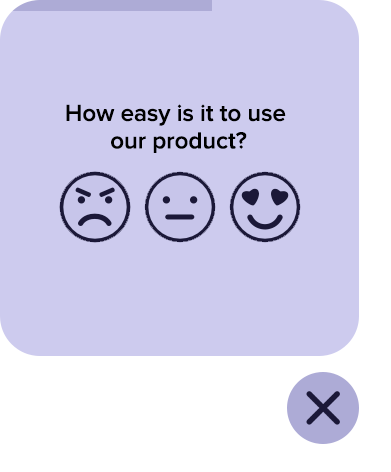
How easy is it to use our product?

Overall quality — how would you rate the product?

1 star
5 stars

In your opinion, how innovative is the product?

How much do you need the product?

How would you rate its value for money?

Not worth at all
Totally wort it

If you could buy the product today, would you?

How likely are you to recommend our product to a friend or colleague?

Not likely at all
Extremely likely

Try this template

Use template
  • 62%

    62% of our surveys are opened on mobile devices. Responsly forms are well optimized for phones and tablets.

  • 2x

    Responsly get 2x more answers than other popular tools on the market.

  • 98%

    Responsly service get an average satisfaction score of 98%

Customer Experience example

Customize template for your needs

  • Modify or add questions

    You can modify every question, delete or add more; there are 24 types of questions with options to select.

  • Add your branding

    Make it looks like it's your own. Add branding of your organization and modify the theme to match the graphic standards of your brand.

  • Connect with your apps

    Easily connect Responsly to apps that you’re using. Use ready integrations to move data from Responsly to your apps automatically.

100+ apps integrations

Connect tools that you are using, Responsly easily integrates with multiple apps.

  1. Google Sheets
  2. HubSpot
  3. Intercom
  4. Mailchimp
  5. Google Analytics
  6. Salesforce
  7. Zapier
Responsly platform helps us to manage customer satisfaction and communication within our organization.

Alicja Zborowska, Administration Specialist

Red bull
Bayer

We automated the product experience management process.

KraftHeinz

Managing customer experience is made easy with Responsly.

Danone

Our suppliers are surveyed quickly and efficiently.

Feel the Responsly advantage over other products

Talk to us!